Video Search Optimization: How to Use YouTube Titles, Descriptions, and Tags
 임재복
임재복
Video search optimization is the core strategy behind getting your YouTube content to actually surface in search results.
In practice, it means optimizing metadata — titles, descriptions, tags — so that content relevant to what a user typed into YouTube’s search bar shows up more prominently. Understanding how YouTube’s algorithm analyzes and recommends content, and building your keywords, tags, and description around that, has an outsized effect on your search visibility.
In this article, we’ll walk through concrete, immediately usable tactics centered on the core pillars of YouTube SEO: titles, descriptions, tags, and keyword discovery.
Why Video Search Optimization Matters
YouTube is the second-largest search engine in the world, and getting a specific piece of content in front of users, out of an ocean of videos, requires a genuinely keyword-driven strategy.
The starting point for video search optimization is picking the right keywords. YouTube analyzes metadata — title, description, tags — and prioritizes content that’s most relevant to what users actually searched for. Google Search Central likewise recommends giving every video a unique, clear title and description, and surfacing your metadata through structured data, a video sitemap, and Open Graph tags.
Planning content around real search terms matters especially because it goes beyond raw visibility — it directly improves click-through and audience retention too.
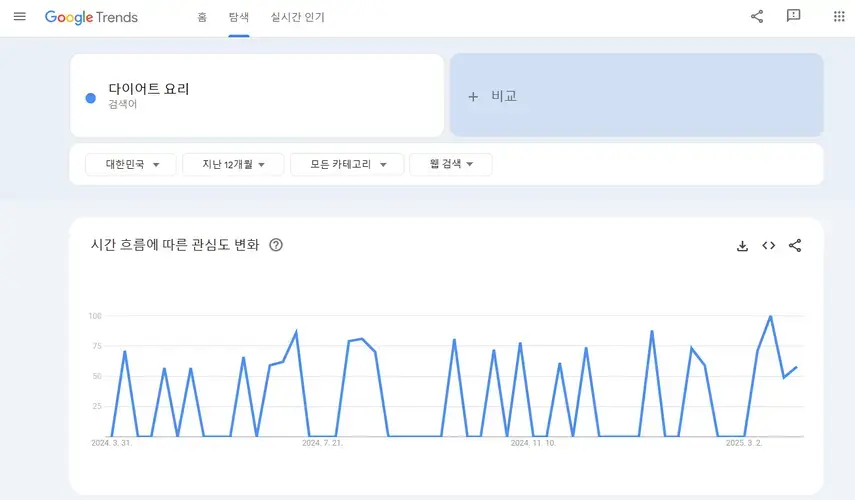
In practice, before you even start producing content: first, mine YouTube’s autocomplete for related search terms; second, check Google Trends for shifts in interest over time.
From there, start your keyword research proper by analyzing actual search volume and competition using Keyword Planner or tools like TubeBuddy and vidIQ.
One thing to watch for here: pick keywords with solid search volume that aren’t overly competitive, and make sure they genuinely match your content’s topic before treating them as your core keyword.
How to Research Keywords for Video Search Optimization
Finding the keywords people are actually searching for is the core of video search optimization, and this single step decides how the rest of your SEO plays out.
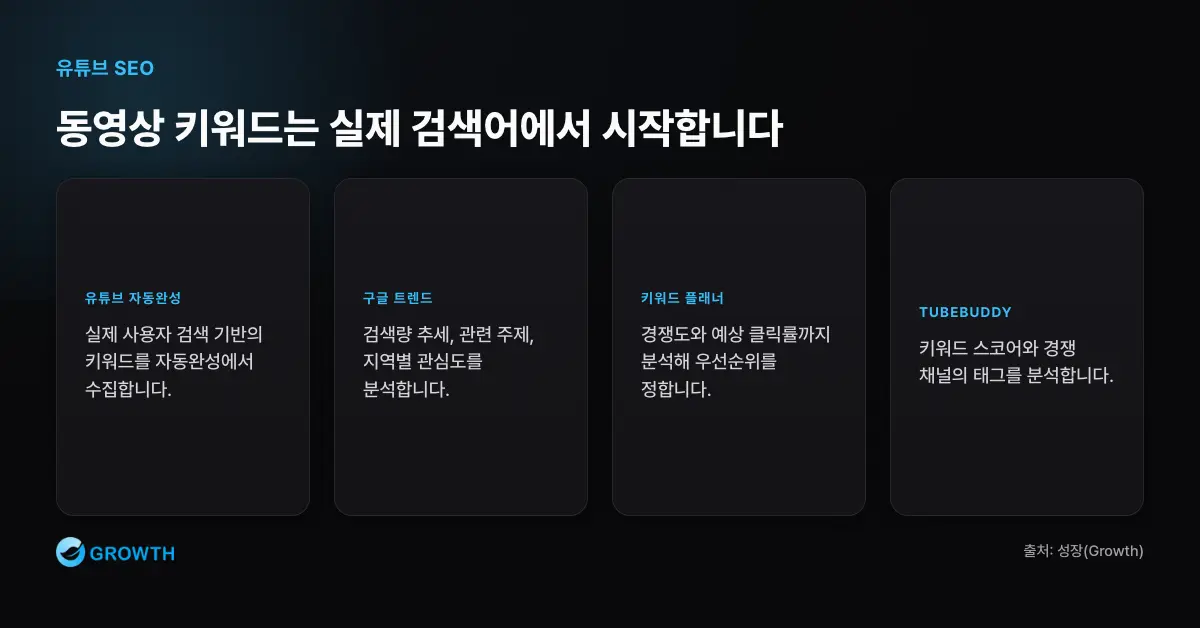
A three-step process works well for uncovering keywords. First, type your core topic into YouTube’s search bar and collect the terms that come up as autocomplete suggestions. These are highly reliable, since they’re generated directly from real user searches.
Next, run those keywords through Google Trends to analyze search-volume trends, related topics, and regional interest. This is also where spotting an “emerging search term” can hand you a real first-mover opportunity on a topic.
Finally, use Keyword Planner or TubeBuddy’s Keyword Score feature to analyze competition level and expected click-through rate. For example, if TubeBuddy shows “video search optimization” as medium competition with high search volume, it’s reasonable to prioritize that as a production topic.
In practice, the core strategy is choosing keywords by weighing quantitative data alongside genuine user intent.
How to Work Keywords Into Your Video Search Optimization Title
Your title is the first gate of YouTube SEO. The YouTube Help Center notes that a title needs to accurately represent your video’s content to support both retention and search visibility. In practice, a title that actually drives search performance needs to hit three components: core keyword + value proposition + differentiator.
For example, “How to Nail Video Search Optimization: A Practical, Step-by-Step Guide” puts the core keyword up front, offers a value proposition (a practical, step-by-step approach), and adds differentiation by signaling it’s beginner-friendly and hands-on.
Keep titles to roughly 30–40 characters, and put your most important keyword within the first 20 characters so it doesn’t get cut off on mobile.
Testing your most effective title using YouTube Studio’s title A/B testing feature or TubeBuddy’s CTR comparison tool is also a smart move.
One more tip: rather than reusing the same title pattern over and over, try varying your sentence structure — questions, lists, how-to formats — based on what the searcher is actually looking for.
How to Write Descriptions That Drive Video Search Visibility
Your description is where YouTube’s algorithm figures out your video’s topic, and where you build trust and deliver information to viewers. According to analysis of the YouTube algorithm, since the algorithm draws on data like your video description, watch history, and viewing behavior to make recommendations, structuring your description in three clear stages is genuinely effective.
First, use the opening 2–3 sentences to clearly state your core keyword and the video’s subject, so it gets picked up in search. Something like: “In this video, we’ll walk through how to write titles, descriptions, and tags for video search optimization, with real examples.”
Second, use the body to summarize what the video actually covers, and describe the specific problem you’re solving in a way that grabs viewer interest.
For example: “Structure your description around how YouTube’s algorithm actually works, and you’ll see watch time climb — along with more appearances in recommended videos.”
Finally, wrap up with elements that drive viewer action — timestamps, links to related content, external website URLs. Include 2–3 hashtags that are most closely tied to your content, keeping them consistent with your title and tags to maximize the optimization effect.
Using Tags to Clarify Your Content’s Topic
Tags don’t carry the SEO weight they used to, but they still play a supporting role in helping the algorithm identify what your content is about.
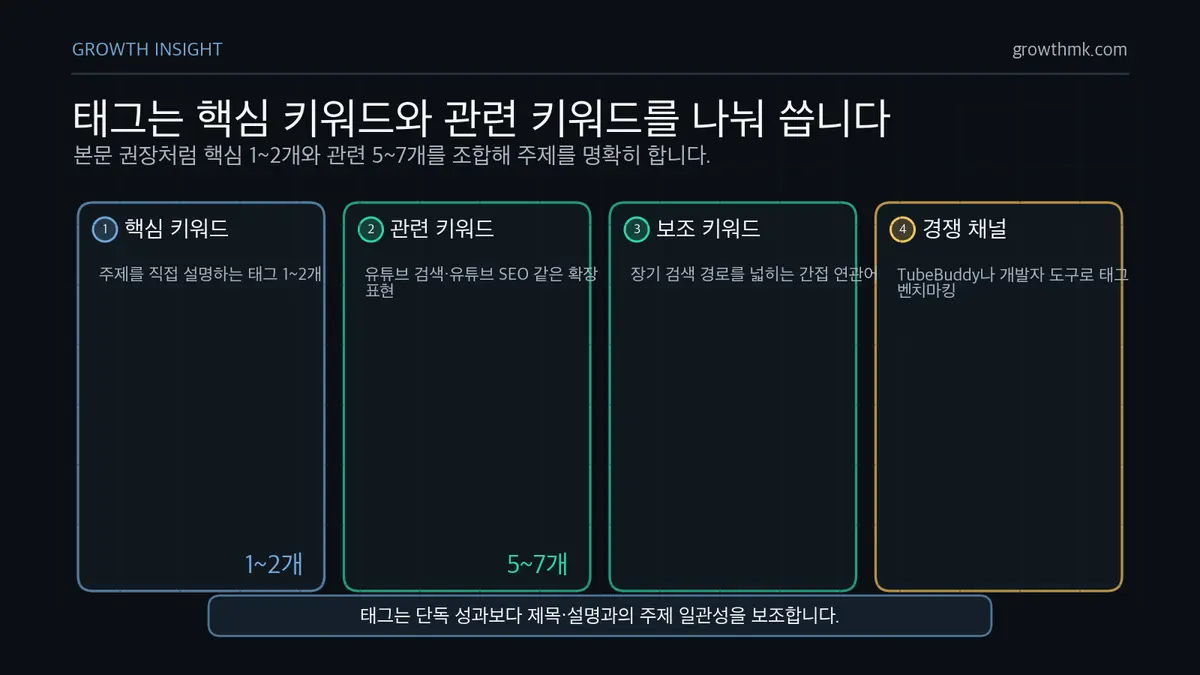
A good approach is combining 1–2 core-keyword tags with 5–7 related-keyword tags. For a video about “video search optimization,” for example, you might combine tags like “YouTube search,” “YouTube SEO,” “how to write video tags,” and “get more search visibility.”
It also helps to include “supplementary keywords” that are only indirectly related to the topic — over time, these can drive traffic through a wider variety of search paths.
To see what tags competing channels are using, TubeBuddy’s tag-analysis feature or your browser’s developer tools (to inspect meta tags) both work — and it’s fine to benchmark the tags you see used frequently.
That said, cramming in too many tags, or throwing in keywords unrelated to your actual content, can hurt your SEO rather than help it — restraint and consistency matter here.
Connecting Keywords, Tags, and Descriptions Into One System
Video search optimization delivers its biggest impact not when you optimize each element separately, but when they all work together organically.
For an effective connection, weave the same core keyword naturally into your title, description, and tags without simply repeating it verbatim — maintaining consistency across all three.
For example, if your title includes “Video Search Optimization Strategy,” your description might naturally rephrase it as “A video search strategy built specifically for how YouTube’s algorithm works.”
For tags, widen your net with related expressions like “search optimization” and “YouTube SEO,” while still keeping a clear connection back to your central topic.
From there, add captions to your video — keywords appearing repeatedly in your captions also boost SEO performance.
If your channel description and playlist names also use the same keywords, YouTube’s algorithm is more likely to recognize your channel as specialized in that topic — and surface it more often in related searches.
Turning this integrated approach — keywords, description, tags, captions, and channel structure working as one system — into a repeatable routine is the real key to building a competitive edge.
Related Reading
- The Complete A-to-Z Guide to SEO Marketing
- How to Write Titles and Links That Boost Search Rankings (+ Prompts)
- SEO Marketing Case Studies — Content Strategy Built on Keyword Analysis
- Why Image Search Optimization Matters, and How to Use It
- SEO Strategy for Infographics and Visual Content
If you want to apply this to your own business — see how Growth approaches this in our SEO service, or if you need a concrete diagnosis of your specific situation, reach out through our contact page. We answer with the one customer who becomes revenue in mind — not raw traffic volume.
Frequently Asked Questions
How long should a YouTube video title be?
Aim for roughly 30–40 characters. To keep the important part from getting cut off on mobile, place your most important keyword within the first 20 characters. Your title also needs to accurately represent the video’s content — an exaggerated title can actually hurt both retention and search visibility.
How important are tags for video SEO?
Tags don’t carry the SEO power they once did, but they still play a supporting role in helping the algorithm identify your content’s topic. Combine core-keyword tags with related keywords, but avoid cramming in a large number of unrelated keywords — that can backfire. Tags deliver the most value when your title, description, and tags all connect consistently around the same core keyword.
How do I actually find the right keywords?
A three-step process works well. First, collect real user-search-based keywords from YouTube’s autocomplete. Second, check Google Trends for search-volume trends and shifts in interest. Third, use tools like Keyword Planner, TubeBuddy, or vidIQ to analyze competition and expected click-through rate — this lets you narrow in on keywords with solid volume that aren’t overly competitive.
Should I optimize the title, description, and tags separately?
They’re far more effective connected than optimized in isolation. Weave the same core keyword naturally into your title, description, and tags — without it feeling forced — to maintain consistency, and extend that same topic through your captions, channel description, and playlist names. That integrated design helps the algorithm recognize your channel as specialized in a given topic and surface it more often in related searches.