AI Crawler Setup Guide — Writing robots.txt for GPTBot, ClaudeBot, PerplexityBot, and Google-Extended
 임재복
임재복
How you handle AI crawlers like GPTBot, ClaudeBot, and PerplexityBot in robots.txt determines whether your content can be cited in ChatGPT, Claude, and Perplexity answers. The core principle is “separate by purpose.” Blocking search-and-citation crawlers (OAI-SearchBot, PerplexityBot, Claude-SearchBot) excludes your site from those AI search answers entirely, so allowing them is the default; training crawlers (GPTBot, ClaudeBot, CCBot) and Google-Extended can be selectively blocked based on your content strategy. The identification table and robots.txt examples below have all been verified directly against each provider’s official documentation.
Why do AI crawler settings matter? — Blocking means disqualification from AI citations
Content that generative AI references in an answer enters through two channels: data collected during the model’s training phase, and pages retrieved and read in real time when a question is answered. Either way, it all starts with whether an AI crawler can access your site.
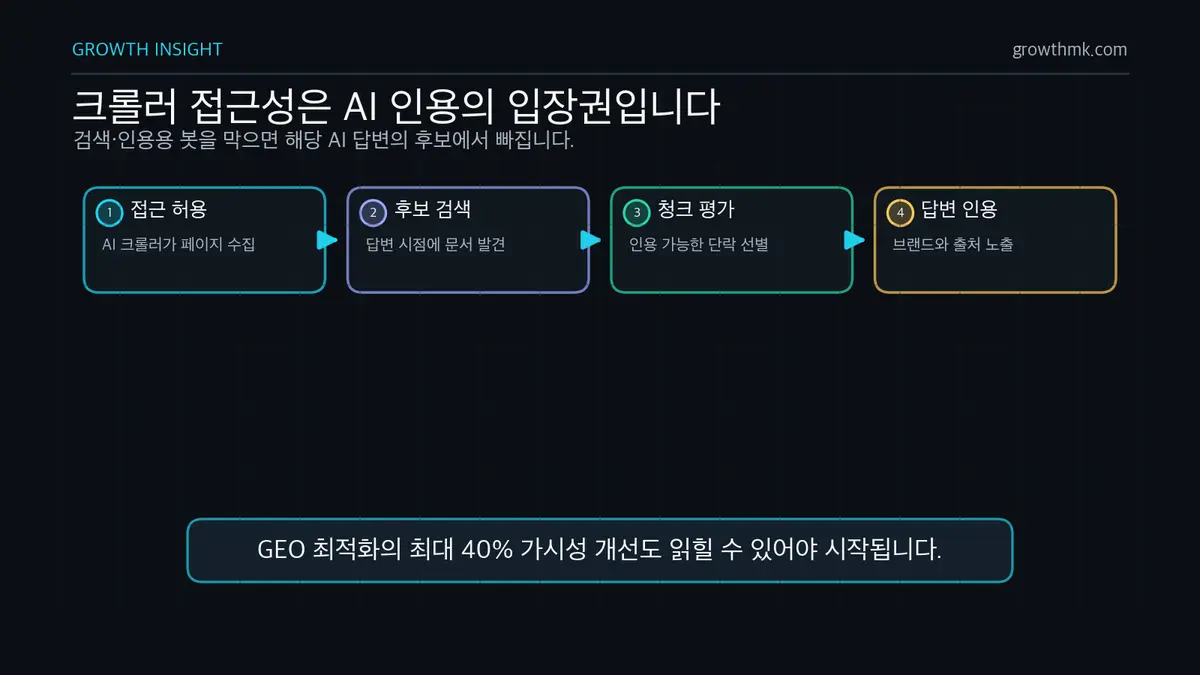
This isn’t speculation — it’s behavior the providers state explicitly. OpenAI’s official crawler documentation states that sites blocking (opting out of) OAI-SearchBot will not appear in ChatGPT search answers. Perplexity similarly recommends allowing PerplexityBot to appear in search results. In other words, blocking a search-and-citation crawler isn’t just “data protection” — it’s voluntary disqualification from the AI search channel.
The control in the opposite direction is just as clear. According to OpenAI’s documentation, disallowing GPTBot is treated as a statement of intent that says “don’t use this site’s content for training.” Google’s official crawler documentation states that blocking Google-Extended only prevents use in Gemini model training and grounding, and has no effect on inclusion in or ranking within Google Search. Because the tokens are separated by purpose, you can apply selective settings instead of a blanket block.
The problem is the inertia of “just block all AI bots,” a reflex that took hold early in the generative AI era. Blocking without distinguishing training crawlers from search crawlers protects your data, but it also means giving up your visibility in the AI search era entirely. GEO research accepted at KDD 2024 reported that visibility within generative-engine answers can be boosted by up to 40% — but the entire premise of that optimization is “the crawler can access your content” in the first place. Content that can’t be read isn’t even eligible for optimization.
As covered in how South Korea’s search market share is shifting, domestic information-discovery channels are being rapidly reshaped too, and if AI engine optimization (AIEO) is the response, crawler settings are step one. Getting cited in an AI answer isn’t a device for driving up total traffic — it’s a device for making your brand appear in response to a specific question asked right before a purchase decision. There’s no reason to leave that seat empty for the one customer who becomes revenue.
Identification table for major AI crawlers — user-agent, provider, purpose
The table below was compiled by directly checking the official documentation of OpenAI, Anthropic, Perplexity, Google, and Common Crawl (as of June 2026). Bots that couldn’t be confirmed through official documentation aren’t included. Use the user-agent tokens below exactly as written in robots.txt.
| User-agent token | Provider | Purpose | Respects robots.txt | Official documentation |
|---|---|---|---|---|
| GPTBot | OpenAI | Collects content to train foundation models | Yes | OpenAI bot documentation |
| OAI-SearchBot | OpenAI | Surfaces and links content in ChatGPT search results | Yes | OpenAI bot documentation |
| ChatGPT-User | OpenAI | Visits a page on a user’s direct request (not automated crawling) | May not apply | OpenAI bot documentation |
| ClaudeBot | Anthropic | Collects web content to improve generative AI models and safety | Yes | Anthropic crawler documentation |
| Claude-SearchBot | Anthropic | Improves the quality of search results | Yes | Anthropic crawler documentation |
| Claude-User | Anthropic | Accesses a web page when a user asks a question | Yes | Anthropic crawler documentation |
| PerplexityBot | Perplexity | Surfaces and links content in Perplexity search results (not used for model training) | Yes | Perplexity crawler documentation |
| Perplexity-User | Perplexity | Accesses a page to support a user action | Generally does not apply | Perplexity crawler documentation |
| Google-Extended | A control token for whether Gemini can use content for training/grounding (not a separate crawler) | Yes (control token) | Google crawler documentation | |
| CCBot | Common Crawl (nonprofit) | Builds an open web archive — a source corpus for many LLMs’ training data | Yes | Common Crawl documentation |
Three categories by purpose — what to block, what to allow
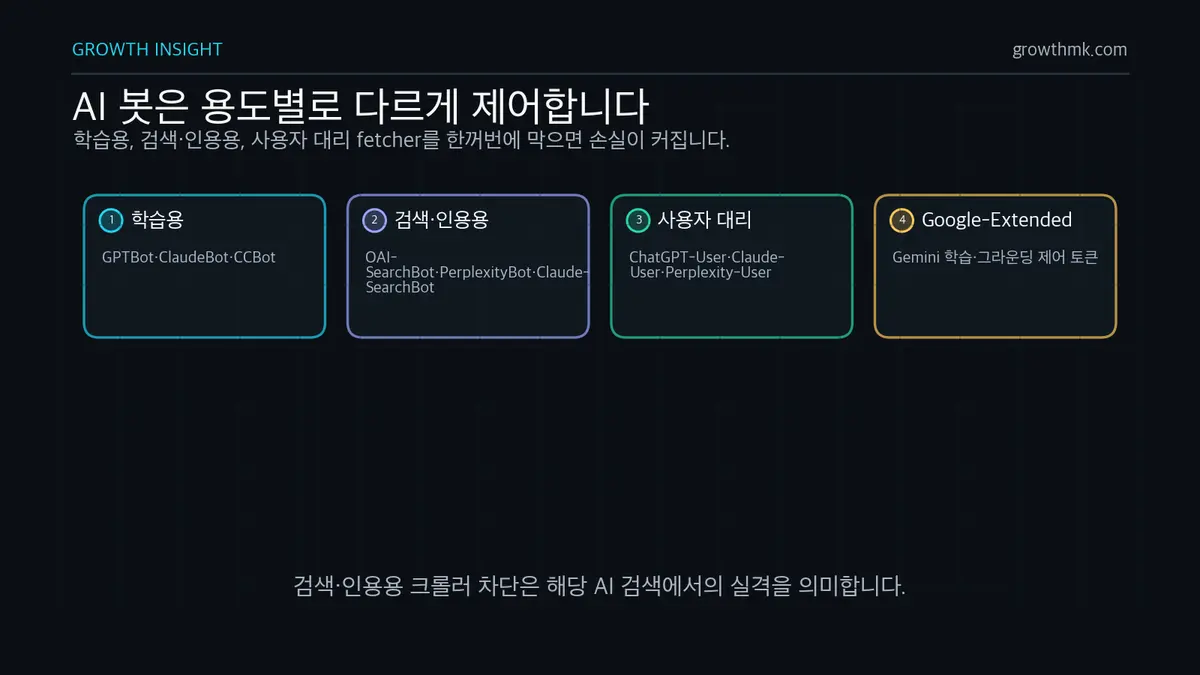
- Training crawlers — GPTBot, ClaudeBot, CCBot: the content they collect is used for model training. Blocking them operates independently of AI search visibility. In particular, Common Crawl’s open archive has been used as a source corpus for large language model training, as confirmed in the GPT-3 paper.
- Search-and-citation crawlers — OAI-SearchBot, PerplexityBot, Claude-SearchBot: these collect content specifically to surface and link your site in AI search answers. Blocking them means disqualification from that AI search channel.
- User-agent fetchers — ChatGPT-User, Claude-User, Perplexity-User: these open a page on the spot when a user asks a question. OpenAI states that “because this is a user-initiated action, robots.txt rules may not apply,” and Perplexity states that Perplexity-User generally does not follow robots.txt. Because these behave more like an actual human visit, there’s little practical benefit to blocking them.
Google-Extended is a special case that doesn’t fit any of the three categories above. It doesn’t visit as a separate user-agent — it only controls whether content already collected by Google’s existing crawlers can be used for Gemini training and grounding (supplying the model with content from the search index at answer time).
Full user-agent strings for identifying crawlers in server logs
Because version numbers can change, it’s safer in practice to match on the token itself — like “GPTBot” — as a partial string match.
GPTBot         Mozilla/5.0 AppleWebKit/537.36 (KHTML, like Gecko); compatible; GPTBot/1.3; +https://openai.com/gptbot
OAI-SearchBot  Mozilla/5.0 (Macintosh; Intel Mac OS X 10_15_7) AppleWebKit/537.36 (KHTML, like Gecko) Chrome/131.0.0.0 Safari/537.36; compatible; OAI-SearchBot/1.3; +https://openai.com/searchbot
ChatGPT-User   Mozilla/5.0 AppleWebKit/537.36 (KHTML, like Gecko); compatible; ChatGPT-User/1.0; +https://openai.com/bot
PerplexityBot  Mozilla/5.0 AppleWebKit/537.36 (KHTML, like Gecko; compatible; PerplexityBot/1.0; +https://perplexity.ai/perplexitybot)
CCBot          CCBot/2.0 (https://commoncrawl.org/faq/)
Note: Google-Extended never appears in server logs (it has no user-agent string of its own). The three Anthropic bots are identified by the tokens ClaudeBot, Claude-SearchBot, and Claude-User.
Three robots.txt configuration patterns — copy-paste-ready code
robots.txt is a text file placed at your domain root (e.g., https://example.com/robots.txt), and as Google’s official guidance puts it, it’s a “request” — whether a crawler follows it is up to the crawler. How you edit it varies by platform: WordPress sites typically manage it through an SEO plugin, while headless or static sites manage it as a root-level static file. See our comparison guide to 6 CMS platforms for the differences by CMS.
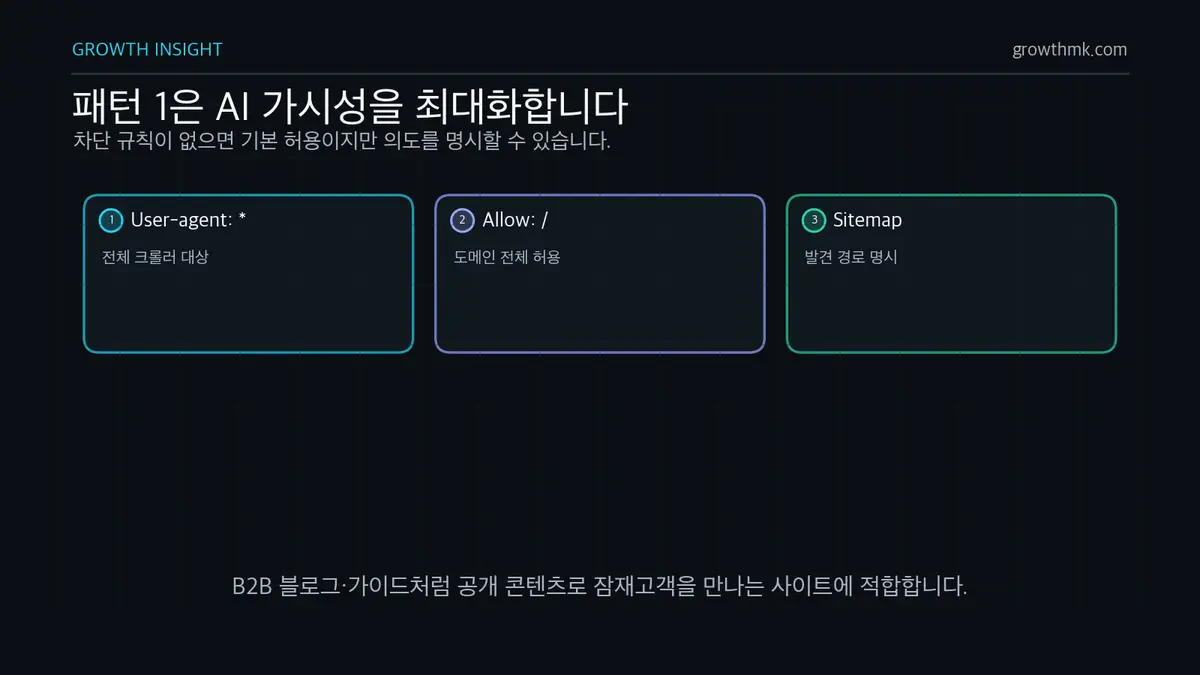
Pattern 1 — Allow everything: maximize AI visibility
# Allow everything, including AI crawlers (no block rules = allowed by default)
User-agent: *
Allow: /

Sitemap: https://example.com/sitemap.xml
Crawling is already allowed by default when there are no block rules, but declaring it explicitly leaves a clear record of intent. This suits most B2B blogs and guide-style sites where the whole point is to reach prospects through content.
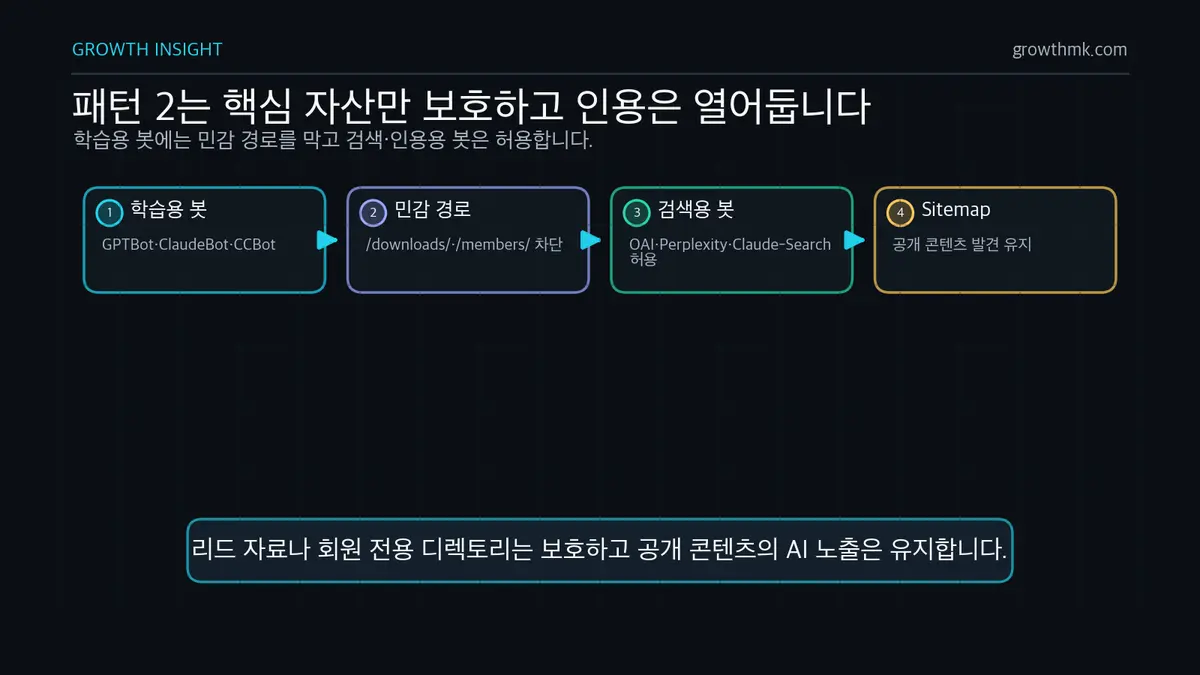
Pattern 2 — Selective allow: block only sensitive paths
# Training crawlers: block only the paths you want to protect, allow the rest
User-agent: GPTBot
User-agent: ClaudeBot
User-agent: CCBot
Disallow: /downloads/
Disallow: /members/

# Search-and-citation crawlers: allow everything
User-agent: OAI-SearchBot
User-agent: PerplexityBot
User-agent: Claude-SearchBot
Allow: /

Sitemap: https://example.com/sitemap.xml
Stacking multiple user-agent lines in a single group applies the same rules to all of them. This is a balanced setup that protects only your lead-generation downloads, paid reports, and members-only directories from training collection, while keeping your public content open for citation.
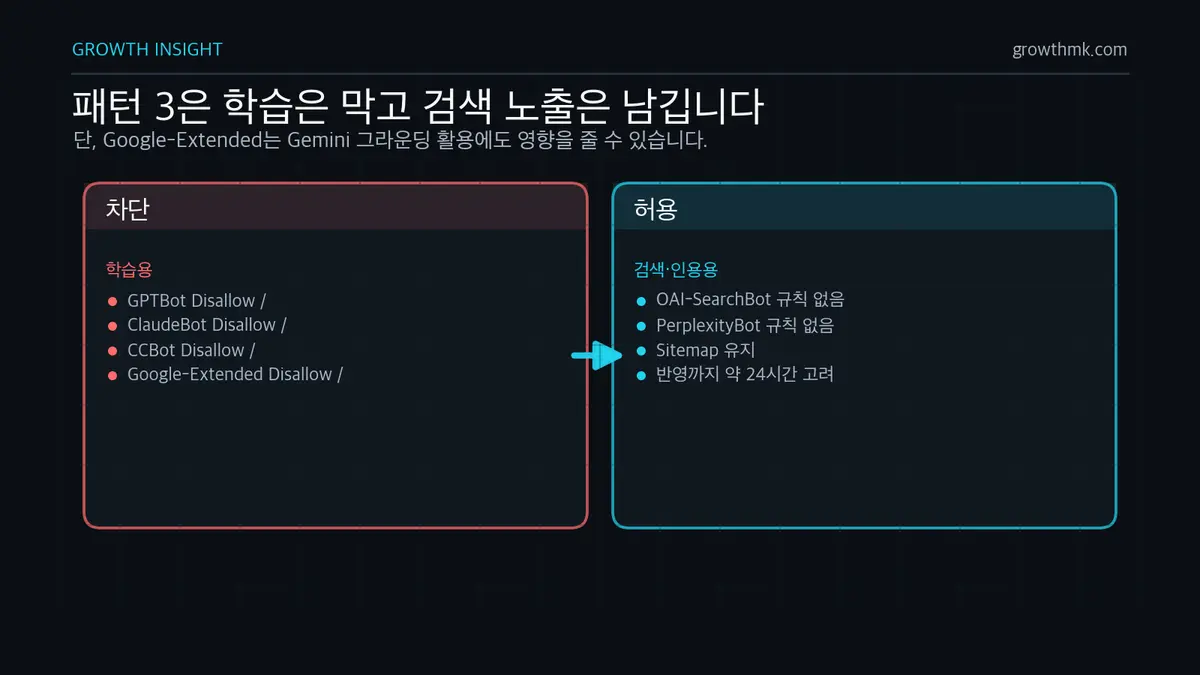
Pattern 3 — Block training only: keep citation open, protect your data
# Fully block training crawlers
User-agent: GPTBot
Disallow: /

User-agent: ClaudeBot
Disallow: /

User-agent: CCBot
Disallow: /

User-agent: Google-Extended
Disallow: /

# No rule for search-and-citation crawlers (e.g., OAI-SearchBot) = allowed
Sitemap: https://example.com/sitemap.xml
This setup refuses to supply training data while keeping AI search visibility intact. Two things to keep in mind: first, blocking Google-Extended blocks grounding along with training, which can affect your citation chances in Gemini answers. Second, OpenAI notes that robots.txt changes can take up to about 24 hours to take effect, so don’t assume crawling right after an edit is a violation of your new rules.
Allow or block — decision criteria from a content-marketing perspective
The setup itself takes five minutes. The hard part is the decision. There are two axes to weigh: what you gain from citation visibility (your brand appearing in AI answers, plus branded search and verified-intent traffic) versus what you might lose by supplying data for training (your content being absorbed into the model’s internal knowledge and potentially reproduced without attribution).
| Site type | Recommended pattern | Rationale |
|---|---|---|
| B2B content marketing / blog | Pattern 1–2 | AI citation is itself a prospect touchpoint. Little proprietary data needs protecting |
| Media / paid subscription content | Pattern 3 | The content itself is the product, so training absorption is a direct loss. Keep citation visibility through search bots |
| Commerce / product catalog | Pattern 1 | Product information benefits from more exposure. Prepare for AI recommendation and shopping answers |
| SaaS product documentation | Pattern 1 | When AI cites your docs to answer questions, it lowers support costs and creates a touchpoint with people evaluating your product |
| Proprietary research / paid data | Pattern 2–3 | Block the directory holding your core asset, keep only marketing content open |
More important than the type table are three questions to ask about your own content.
- Who sees this content if it gets cited? A user who asks AI a specific question is likely somewhere in the comparison-and-verification stage of the customer journey. And AI, in the end, also picks trustworthy sources to cite — which is exactly why E-E-A-T criteria matter for AI citation, not just search.
- What do you lose if this content gets used for training? Generic how-to content loses little by being absorbed into training, but proprietary data or research you invested real money to produce loses its differentiation the moment it’s absorbed into a model.
- Who fills the seat you leave empty? Blocking search-and-citation crawlers doesn’t stop AI from answering. It just means the citation slot in that answer goes to a competitor who allowed it in.
Growth’s recommended default is clear. For B2B, content-driven sites, that’s Pattern 2: allow all search-and-citation crawlers, and block training crawlers only from the paths holding your core assets. It’s not about traffic volume — it’s a choice to put your brand in the seat that answers the question asked right before a purchase.
How to verify your settings are actually applied — testing and server logs
1) Check the robots.txt response and syntax
curl -s https://example.com/robots.txtFirst, confirm the file returns a 200 response and that the rules you intended appear exactly as written. You can check how Google specifically parses your file in Search Console’s robots.txt report, and the broader crawling-and-indexing checklist is covered in our complete technical SEO guide.
2) Identify AI crawler traffic in your server logs
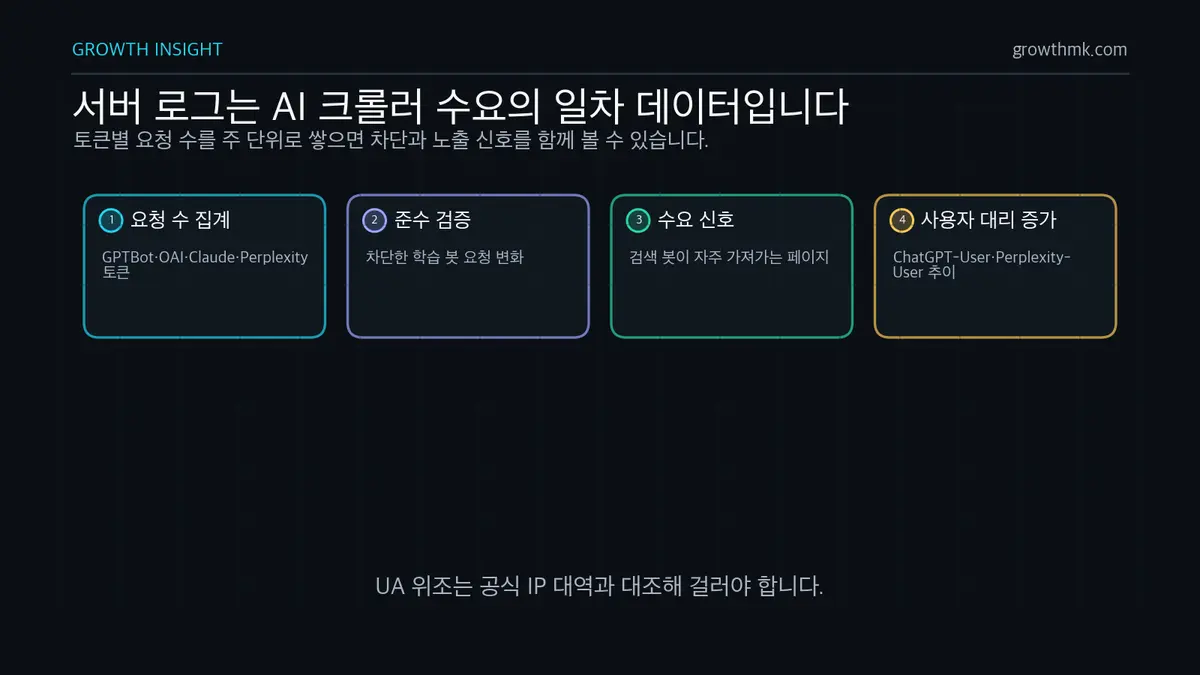
Once you’ve made a setting, you need to measure it. From a data science standpoint, access logs are primary data showing actual AI crawler demand. Tallying requests by token lets you quantify exactly which crawler is visiting how often, and which pages it’s pulling.
# Tally requests by AI crawler from your access log
grep -oE "GPTBot|OAI-SearchBot|ChatGPT-User|ClaudeBot|Claude-SearchBot|Claude-User|PerplexityBot|Perplexity-User|CCBot" access.log | sort | uniq -c | sort -rn
Tracking this on a weekly basis reveals three things: whether requests from a blocked training bot have actually dropped (compliance verification), which content the search bots collect most often (a signal of AI search demand), and the trend in ChatGPT-User and Perplexity-User requests — which is direct evidence that real users are viewing your pages by way of AI.
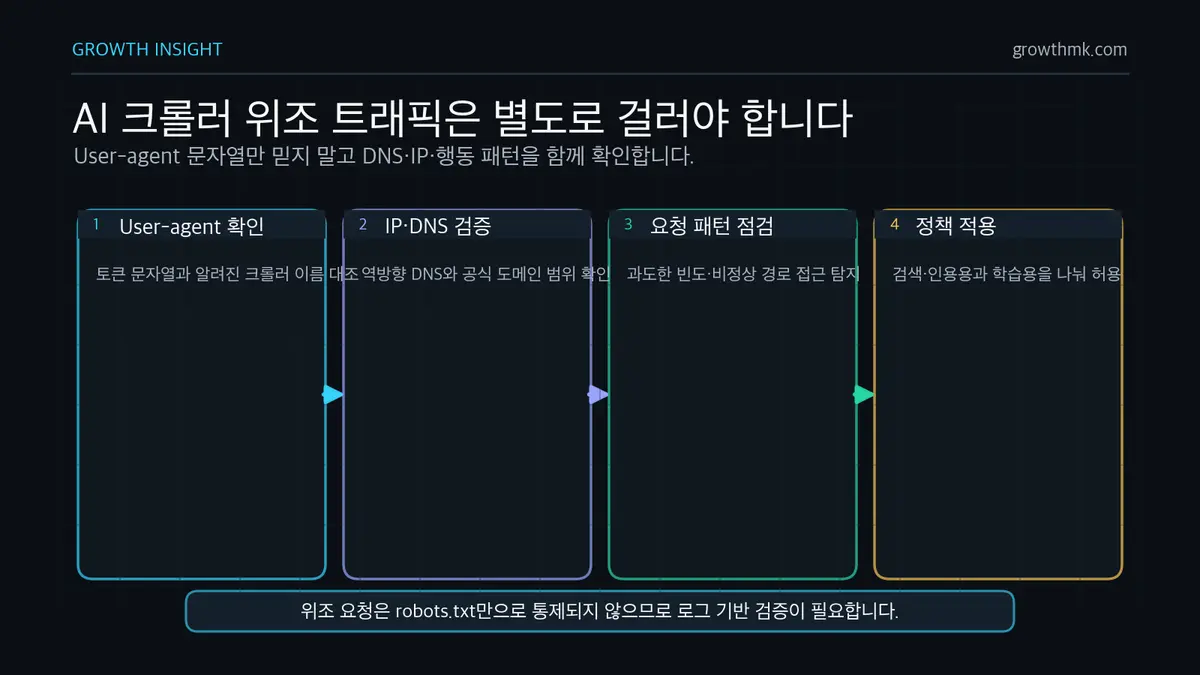
3) Filter out spoofed user-agent traffic
A user-agent string can be faked by anyone. That’s why each provider publishes its official IP ranges as JSON. OpenAI provides gptbot.json and searchbot.json, Perplexity provides perplexitybot.json, and Common Crawl can be verified via reverse DNS at crawl.commoncrawl.org. Cross-checking the IPs in your logs against the official ranges lets you filter out spoofed bots. As Cloudflare’s analysis notes, identifying bots that fake their user-agent through behavior-based machine learning is a more realistic line of defense, and blocking bots that ignore robots.txt entirely is a job for your WAF/CDN layer.
Configuring AI crawlers is just the starting line for GEO (generative engine optimization) — actually earning citations requires content structure, entity signals, and citability design to follow through on it. Growth’s GEO/AIEO service designs the whole process, from diagnosing crawler accessibility to securing citations in AI answers. Start by exploring Growth’s GEO/AIEO service or reaching out through our consultation form.
Frequently Asked Questions
If I block GPTBot, do I also disappear from ChatGPT search?
No. GPTBot is for model training, while ChatGPT search visibility is handled by OAI-SearchBot. Blocking only GPTBot lets you refuse training data while keeping your ChatGPT search visibility intact. However, if you also block OAI-SearchBot, you’ll be excluded from ChatGPT search answers, per OpenAI’s official guidance.
Does blocking Google-Extended hurt my Google Search ranking?
No. Google’s official documentation states that Google-Extended has no effect on inclusion in Google Search and isn’t used as a ranking signal. That said, it does block use in Gemini training and grounding together, so your citation chances in Gemini answers could be affected.
How soon does a robots.txt edit take effect?
It depends on how often each crawler refreshes its robots.txt cache. OpenAI notes that it can take up to about 24 hours to take effect. Since there’s no way to force it instantly, the accurate approach is to check your server logs for one to two days after the edit to confirm the actual change in behavior.
How do I block AI bots that ignore robots.txt?
Because robots.txt is a non-binding request, bots that ignore it have to be blocked at the server or CDN layer. Common approaches include firewall rules based on each provider’s official IP ranges, and behavior-based blocking like Cloudflare’s AI bot blocking feature. That said, keep in mind that blocking user-agent fetchers as well would also block real prospects who are viewing your pages by way of AI.
Marketing Insights
Marketing insights, delivered weekly
Practical growth and GEO/B2B marketing insights, summarized in your inbox every week.
Subscribe for insights