Google Bypass Links: A Complete 10-Minute Guide
 임재복
임재복

Did you know that search results differ by country and language? If you’re doing SEO marketing targeting a global market, checking Google’s search results in different countries is essential. This is where Google bypass links (and searches using a Chrome profile) come in — a way to check search results as they appear in a specific country.
In an era when digital information is a primary basis for decision-making, data provided through search matters enormously. But Google follows sophisticated algorithms to surface search results tailored to the search context of a given region. In fact, according to Google’s official search parameter documentation, the gl parameter boosts the visibility of results tailored for a specific country.
Using Google bypass links, you can get the same results you’d see searching in that country, in that language. This lets users cut through localized results to find the correct underlying data.
The importance of Google bypass search grows even more when you need unfiltered insights for your marketing.
In this article, we’ll walk you through a guide to fully understanding Google bypass search.
Google Bypass Links, Straight to the Point
There are three total ways to bypass-search Google. First, let’s cover directly entering a URL.
This is simply the method of using a US Google link to access the US version of Google.
- US Google bypass link (English search): https://www.google.com/?gl=us&hl=en
- UK Google bypass link (English search): https://www.google.co.uk/?gl=uk&hl=en
- Japan Google bypass link (Japanese search): https://www.google.co.jp/?gl=jp&hl=jp
- Australia Google bypass link (English search): https://www.google.com.au/?gl=au&hl=en
- China Google bypass link (Chinese search): http://www.google.cn/
- Canada Google bypass link (English search): https://www.google.ca/?gl=ca&hl=en
- France Google bypass link (French search): https://www.google.fr/?gl=fr&hl=fr
- Germany Google bypass link (German search): https://www.google.de/?gl=de&hl=de
- Russia Google bypass link (Russian search): https://www.google.ru/?gl=ru&hl=ru
- Vietnam Google bypass link (Vietnamese search): https://www.google.com.vn/?gl=vn&hl=vi
- India Google bypass link (Hindi search): https://www.google.co.in/?gl=in&hl=hi
- Italy Google bypass link (Italian search): https://www.google.it/?gl=it&hl=it
- Mexico Google bypass link (Spanish search): https://www.google.com.mx/?gl=mx&hl=es
- Turkey Google bypass link (Turkish search): https://www.google.com.tr/?gl=tr&hl=tr
- Finland Google bypass link (Finnish search): https://www.google.fi/?gl=fi&hl=fi
- Netherlands Google bypass link (Dutch search): https://www.google.fi/?gl=fi&hl=fi
- Search without specifying a country (NCR: No Country Redirect): https://www.google.com/ncr
As a side note, per Google’s official April 2025 announcement, Google has started progressively redirecting country-specific domains (ccTLDs) like google.co.uk and google.fr to google.com. However, this change doesn’t alter how search actually functions, so using the gl and hl parameters as shown above still lets you check results for your desired country and language.
Some countries use a specific language, like Japanese, Hindi, or Russian. If you’d rather search in English without using the local language, you need a different link. In that case, simply change the last part of the URL, &hl=, to “en.” Per Google’s official documentation, the hl parameter specifies the search interface’s host language, and setting it explicitly is recommended for result quality.
- Searching in French on French Google — https://www.google.fr/?gl=fr&hl=fr
- Searching in English on French Google — https://www.google.fr/?gl=fr&hl=en
How to Find Google Bypass Link URLs
Second, instead of directly clicking the links above, you can navigate to that country’s Google directly in your Chrome browser.
It’s simple. Just search “Google + country name” in the search bar.
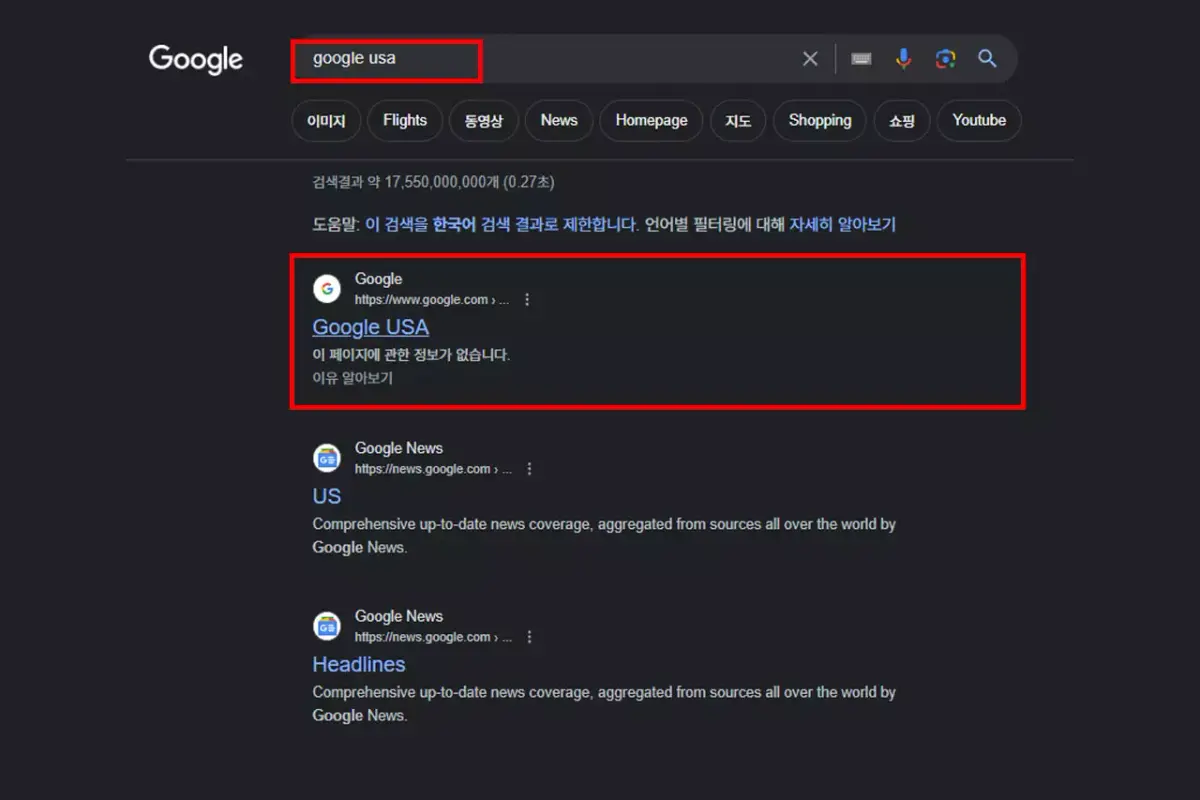
Following this link takes you to US Google.
Creating a Google Bypass Account: Setting Up a Chrome Profile
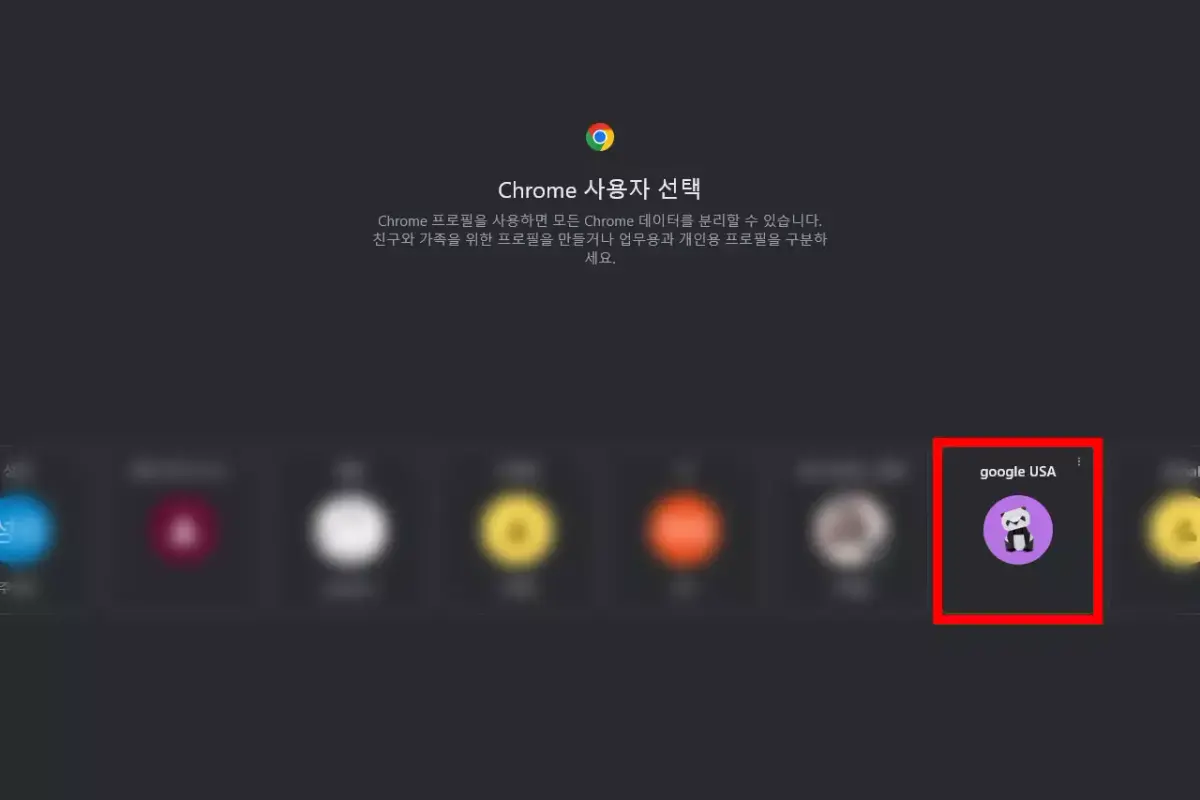
If you need to routinely monitor US search results for work, looking up a US Google bypass link every single time is exhausting.
Instead, you can create and run a dedicated Chrome profile that defaults to US Google. This feature is increasingly used by growing companies too.
Chrome lets you keep a list of multiple Google accounts and pick one from the initial screen. Let’s use this to set up a Chrome profile dedicated to US Google.
🎯 Goal: Set a different country’s Google as your default region and search language across the Chrome browser on PC/Mobile
- Go into Google Chrome settings
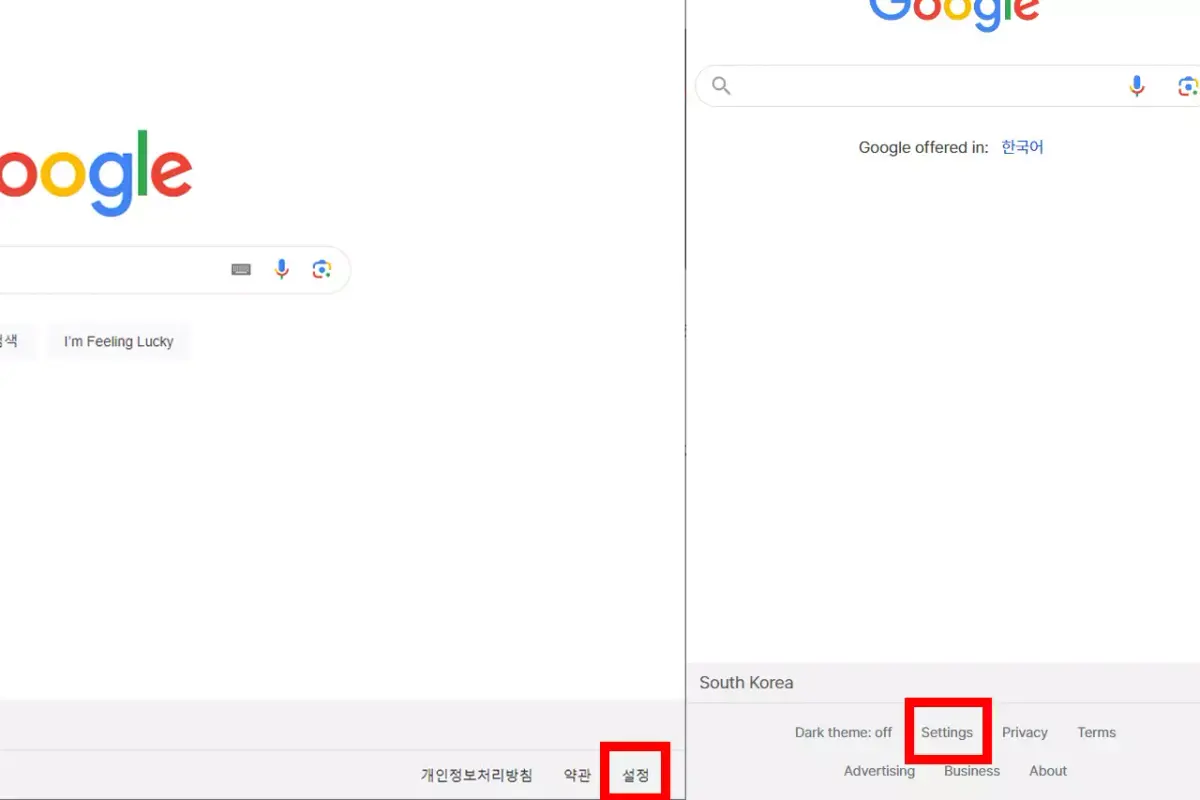
- Go into region settings within Settings
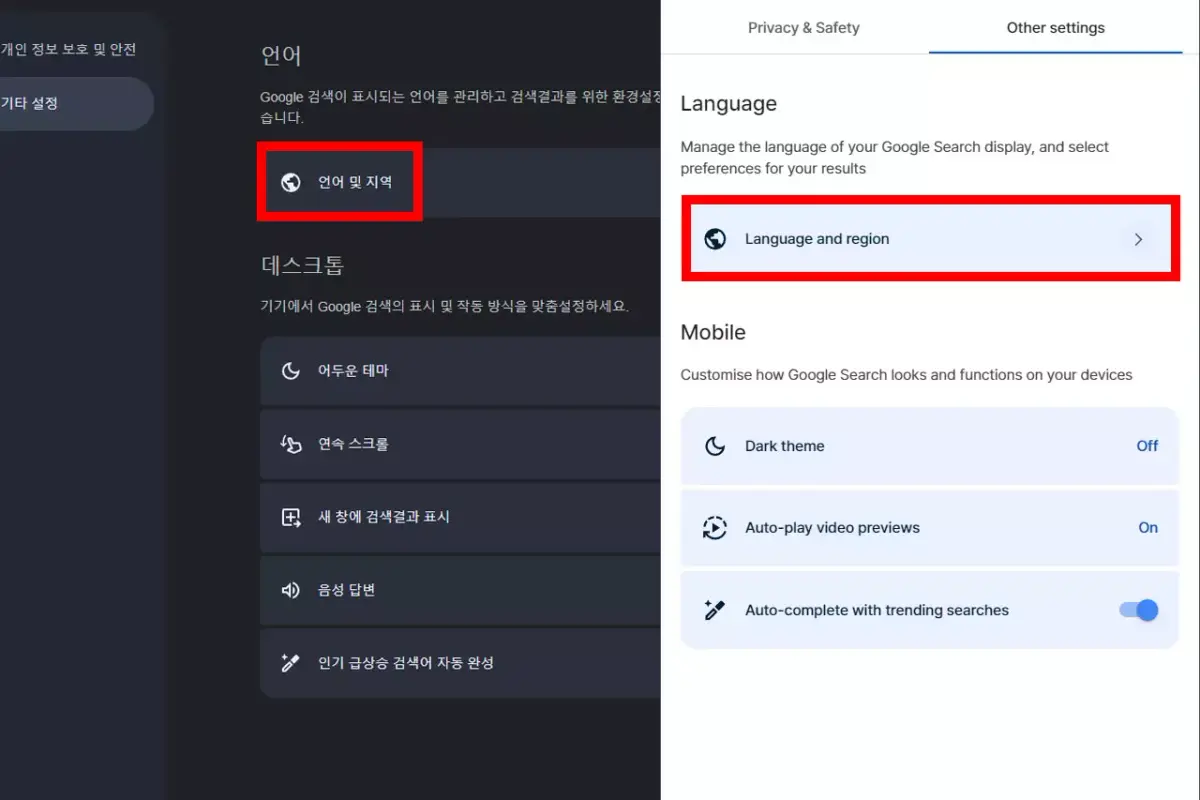
- Set your desired country and language
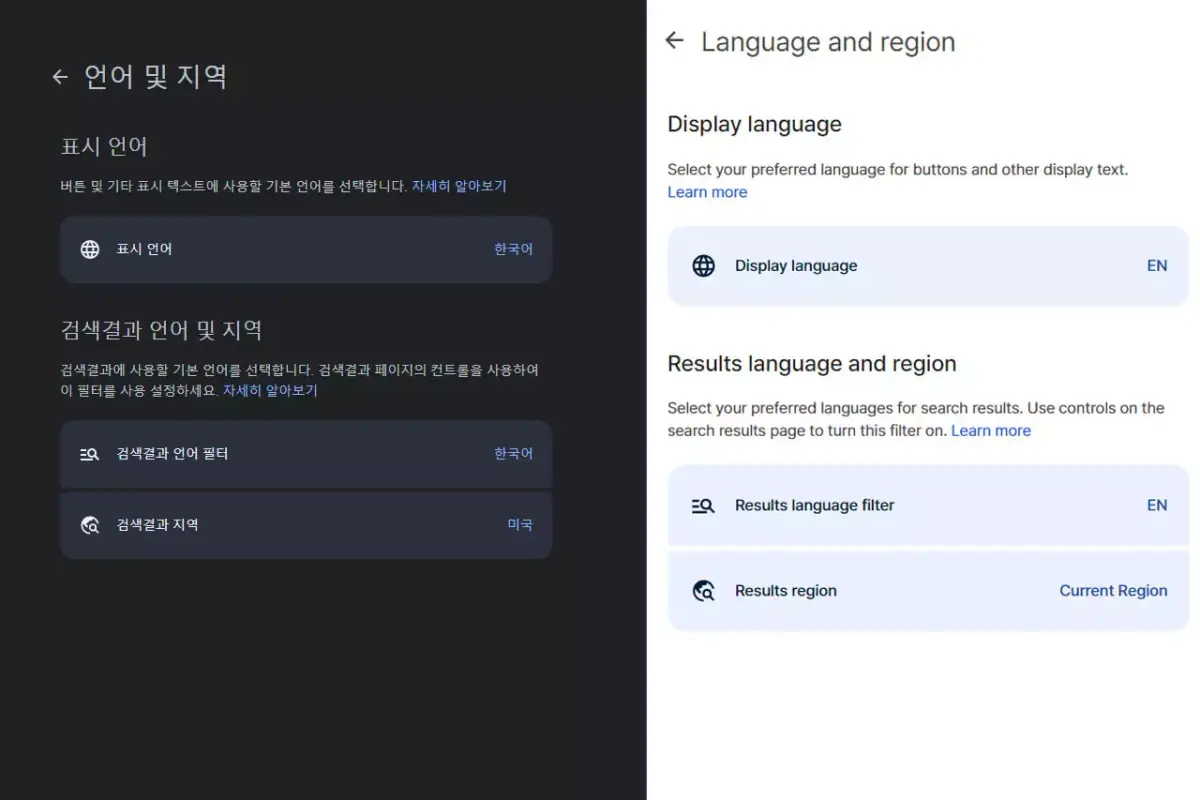
With just a simple configuration, you can build a Google bypass Chrome profile set to your desired language and region.
Related reading
- A Beginner’s Guide to Managing Backlinks
- Anchor Text
- How Does Link Cloaking Affect Search Engines?
- 10 Frequently Asked Questions About Internal Links
- Domain Rating (DR): Definition, Importance, and Implementation Guide
If you’d like to apply this to your own business — visit our SEO service to see our approach to growth, and if you need a diagnosis specific to your situation, reach out via consultation. We answer based on the one customer who’ll drive revenue, not traffic volume.
Frequently Asked Questions (FAQ)
What do the gl and hl parameters in a Google bypass link mean?
gl specifies the country, and hl specifies the interface’s host language. Per Google’s official documentation, gl boosts the visibility of results tailored for a given country, while hl sets the language of the search interface. For example, ?gl=us&hl=en approximates results as if you searched in English from the US. Changing just the hl= value at the end of the URL lets you search in a different language while staying in the same country.
Why is Google bypass search necessary for marketing?
Google tailors search results differently based on the user’s region and language. When running SEO for a global market, you need to check the actual search results (SERP) and competing content shown in your real target country to build an accurate strategy. If you only see results filtered for your home country, you’ll lose sight of the local search landscape, which is why securing unfiltered insight through Google bypass search matters.
If a country-specific domain (like google.co.uk) redirects to google.com, does bypass search become impossible?
No. Google has been progressively redirecting ccTLDs to google.com since 2025, but Google has officially clarified that this change doesn’t alter how search itself functions. So using the gl and hl parameters instead of the domain still lets you check results for your desired country and language.
What’s the easiest way to check Google for a specific country every time?
It’s convenient to create a separate user profile in Chrome with that country and language set as the default. Chrome lets you register multiple Google accounts and choose one from the start screen, so if you need to routinely monitor US search results, you won’t need to look up a bypass link every single time. Just set your desired country and language in the profile’s language and region settings.