10 Frequently Asked Questions About Internal Links
 임재복
임재복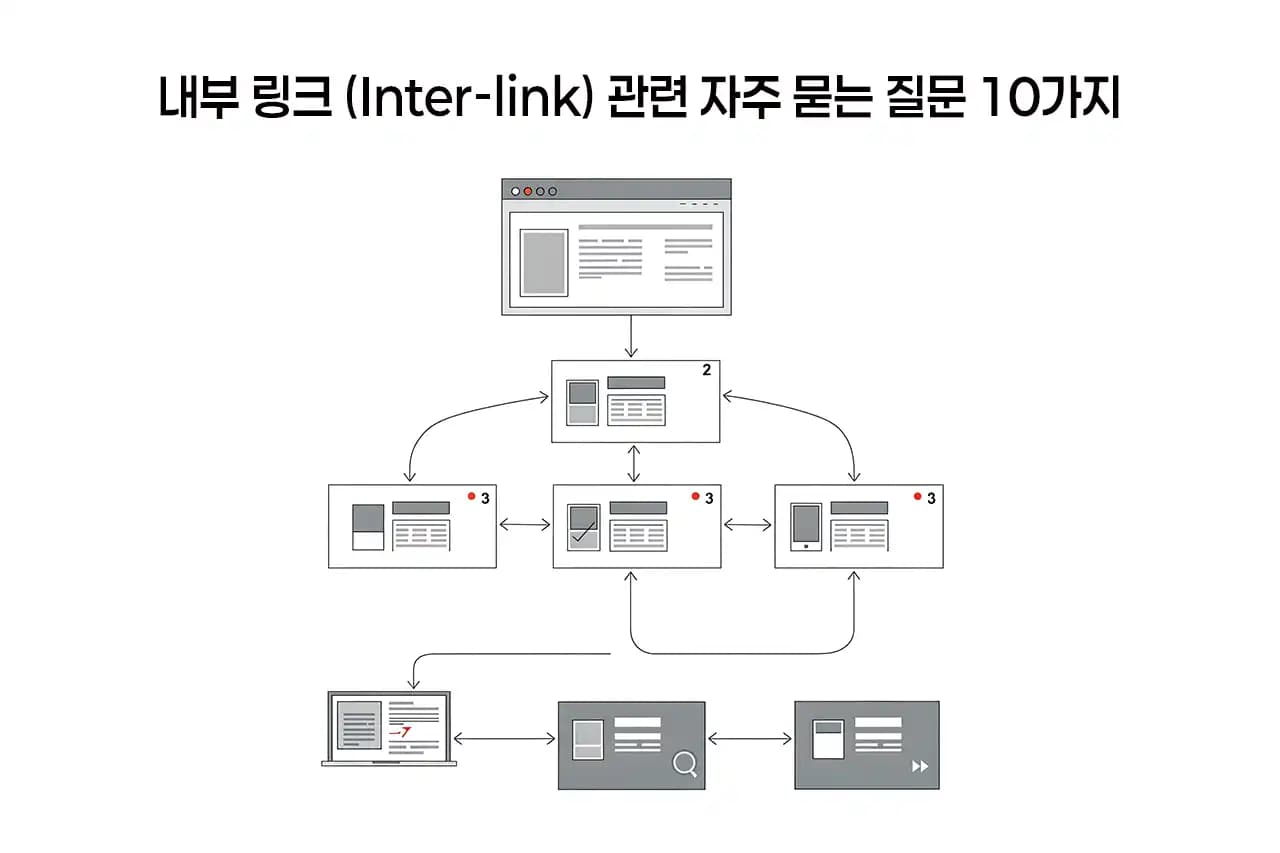
A website is a space made up of many different pieces of information. When that information is connected organically, users can find what they’re looking for more easily, and the value of the whole site goes up. This is where internal links come in — they’re the critical connective tissue linking pages together within a site. Think of them as the index of a well-organized reference book, guiding readers to related information. But there are quite a few points worth knowing about internal links. Below, we’ve gathered the 10 most common questions about internal links, along with the answers.
What Are Internal Links, and Why Do They Matter?
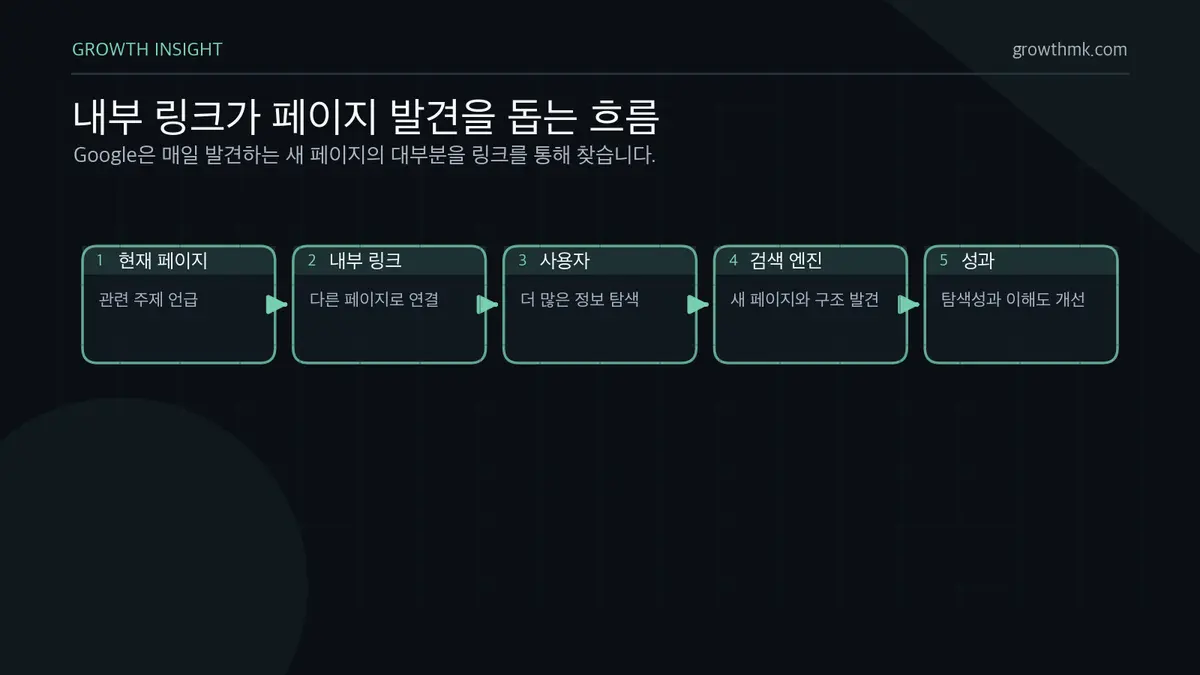
An internal link is a link set up so users can move from one page to another within the same website. It helps users explore more of a site’s content, and it also helps search engines understand the site’s structure. It’s a bit like a footnote in a book that points you to related material elsewhere. Internal links aren’t just about improving the user experience — they’re also an essential part of search engine optimization. Google’s own SEO starter guide explains that “most new pages Google finds every day are discovered via links,” describing links as a core resource for page discovery.
How Are Internal Links Different From External Links?
Internal links connect pages within the same website, while external links connect out to a different website. Internal links are mainly used to strengthen site structure and improve the user experience. External links, on the other hand, are used to cite the source of information or point to related outside resources. The two serve different purposes and go in different directions.
How Should You Find Internal Link Opportunities?
To find internal linking opportunities effectively, it’s important to have a full grasp of your site’s content.
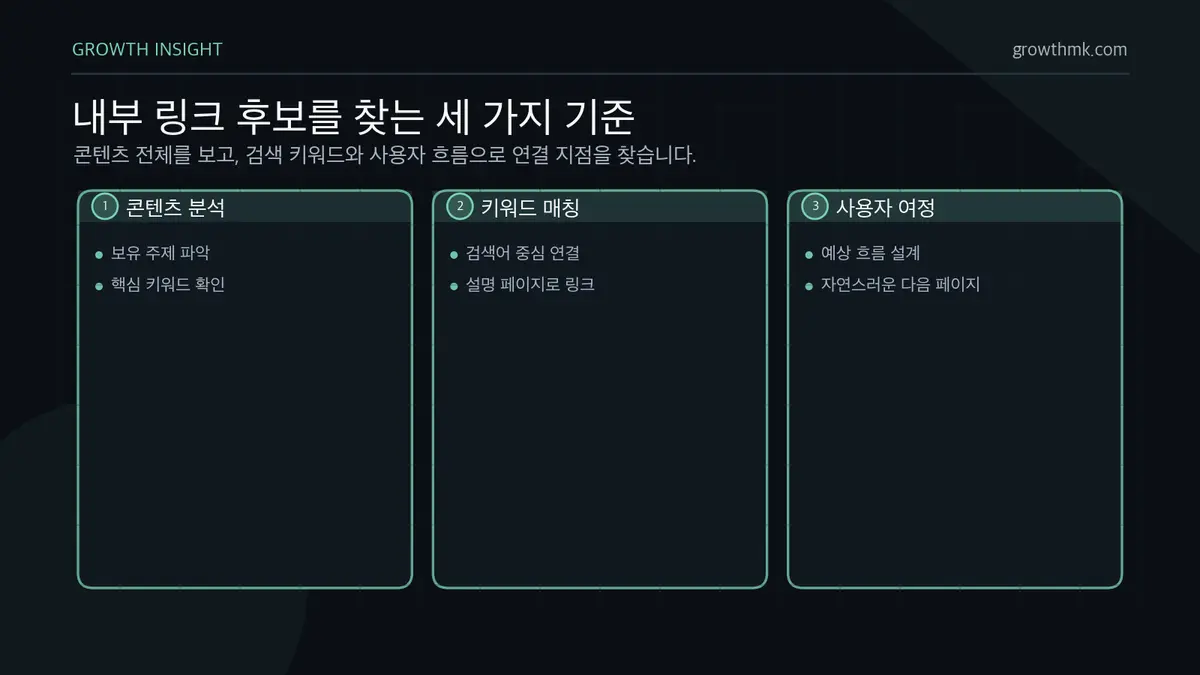
- Content analysis: analyze what topics exist on the site and what the core keyword of each piece of content is. This lets you identify pages that are good candidates to be connected to each other.
- Keyword mapping: link content around the keywords users are actually likely to search for. For example, if there’s an explainer page for a specific keyword, you can add a link to that explainer page from other pages that mention the same keyword.
- Considering the user journey: anticipate the flow a user follows on your site, and place internal links naturally along that flow.
What Anchor Text Should You Use for Internal Links?
Anchor text is the text on a webpage that, when clicked, takes you to another webpage via a hyperlink — the text that describes what the linked page is about. Simply put, it’s typically the underlined or colored text a link is attached to. For example, if the text “delicious coffee recipe” links to a specific coffee recipe webpage, then “delicious coffee recipe” is the anchor text. Rather than a generic phrase like “here” or “click for details,” it’s more effective to write anchor text that lets users anticipate exactly where the link will take them. Google’s official documentation also recommends that anchor text be “descriptive, concise, and relevant to the page,” and advises avoiding generic phrases like “click here.” Search engines also use anchor text to understand the topic of the linked page and factor that into search ranking.
Should Internal Links Open in a New Tab?
In general, it’s recommended that internal links open in the current tab. Opening in a new tab breaks the user’s exploration flow and can generate a lot of unnecessary open tabs. Unless there’s a specific reason a user needs to keep referring back to the current page while checking other information, it’s better to open internal links in the current tab for a more natural browsing experience.
Can You Add Internal Links to Images Too?
Yes, you can. Images, just like text, can carry internal links. For example, you can link a product image to that product’s detail page. This gives users visual information while also being an effective way to increase discoverability of related content. It also matters to write proper alt text for the image so search engines can understand what the image is about.
What Effect Do Internal Links Have on Site Crawling?

Internal links play a very important role in helping search engine bots (crawlers) explore and understand every page of a website efficiently. Well-structured internal links help crawlers grasp the site’s structure and gauge the importance of each page. In particular, internal links pointing to deeply buried pages raise the odds that those pages will surface in search results. It’s a bit like a set of signposts guiding visitors through every corner of a site. Google’s own search engine team has stated officially that it discovers and understands a website’s content through internal links.
How Can You Check for Broken Internal Links?
Broken internal links create a frustrating experience for users and can undermine a site’s credibility. That’s why it’s important to regularly audit and fix internal links.
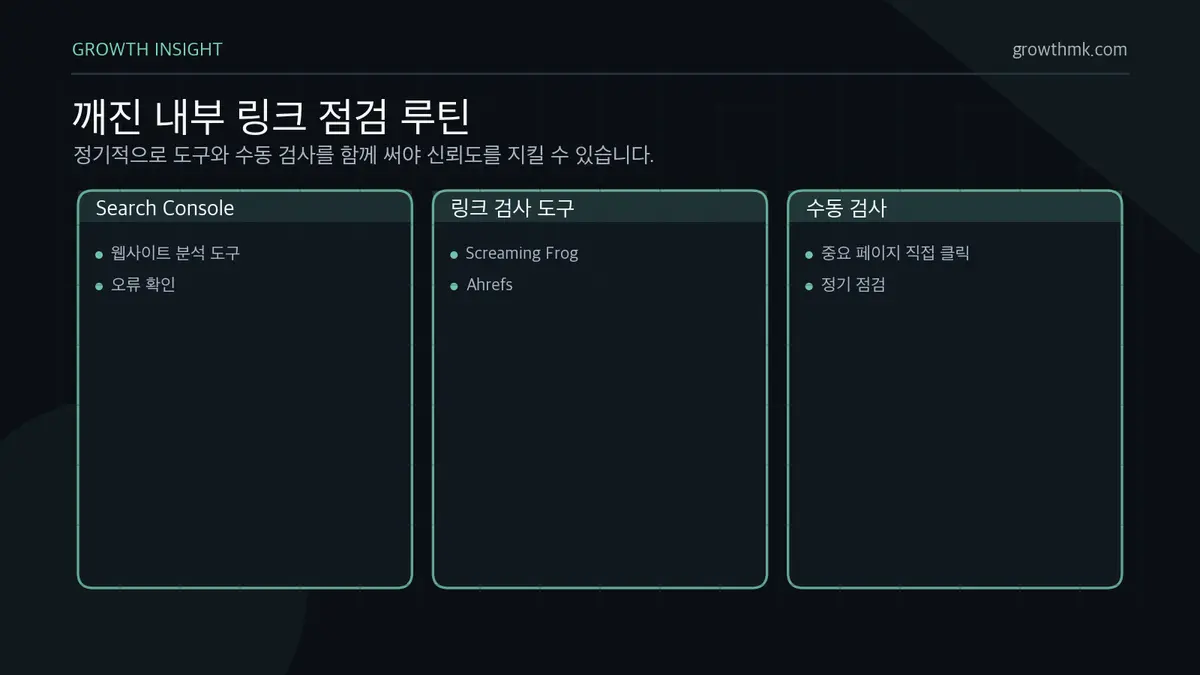
- Use website analysis tools: a tool like Google Search Console makes it easy to spot broken links.
- Use link-checking tools: tools like Screaming Frog or Ahrefs let you audit the link health of your entire site.
- Do regular manual checks: it’s worth clicking through internal links to important pages directly to confirm they still work as expected.
Should Internal Links Use the nofollow Attribute?
As a rule, internal links shouldn’t use the nofollow attribute. The nofollow attribute tells search engines not to follow a particular link. Because internal links play an important role in helping search engines understand your site’s structure and the relationships between pages, using nofollow on them isn’t recommended unless there’s a specific reason to. That said, for internal links with little SEO significance — like paid-ad pages or a privacy policy page — using nofollow can be worth considering. Google recommends distinguishing links this way: use rel="sponsored" for paid or sponsored placements, and nofollow for links you don’t want to vouch for or have crawled. But these are exceptions — the general rule is to keep the follow attribute on most internal links.
Wrapping Up
Internal links are an essential element for running and growing a website effectively. We hope the 10 questions and answers above have deepened your understanding of internal links, and that they help you build an internal linking strategy optimized for your own site.
Related Reading
- A Beginner’s Guide to Managing Backlinks
- Anchor Text
- How Does Link Cloaking Affect Search Engines?
- Domain Rating (DR): Definition, Importance, and How to Build It
- Dofollow Links vs. Nofollow Links: What’s the Difference
Want to apply this to your own business? — Visit our SEO service page to see our approach to growth, or get in touch for a specific diagnosis of your situation. We measure success by the one customer who becomes revenue, not by traffic volume.
Frequently Asked Questions (FAQ)
How many internal links is it appropriate to put on one page?
There’s no fixed number. What matters is placing them naturally, in line with the user’s browsing flow and the content’s context. As explained above, it’s enough to link to relevant pages wherever they align with the expected user journey — cramming in links regardless of context can actually hurt readability and the user experience.
Should older posts get new internal links pointing to newer posts?
Yes. When you publish new content, adding internal links from related existing posts to the new one helps search engines discover the new page faster and understand how the pages relate to each other. It can also help transfer some of an older post’s traffic and authority to the new one.
Is it a problem to link to the same page multiple times from one page?
Linking to the same page multiple times from one page isn’t inherently penalized. That said, it’s best to only place links where they fit naturally in context. Repeating different anchor text for the same target can confuse users, so it’s best to link with clear, consistent anchor text at the single most appropriate spot.
What’s the relationship between internal links and a sitemap?
Both help search engines discover pages, but they play different roles. A sitemap is a way of submitting the list of pages you want indexed directly to search engines, while internal links convey the relationships and relative importance between pages. As explained above, well-built internal links help crawlers understand site structure and each page’s importance, so it’s best to use them as a complement to your sitemap, not a substitute for it.
Marketing Insights
Marketing insights, delivered weekly
Practical growth and GEO/B2B marketing insights, summarized in your inbox every week.
Subscribe for insights