Why Do Double Slashes Occur in URLs? Causes and Fixes
 임재복
임재복
It might sound like a trivial issue, but we’ve seen a single double slash tank the SEO score of an otherwise well-built website more than once. It looks like a tiny, invisible error, but its impact on SEO — and on user experience (UX) — is anything but small.
It shows up on plenty of websites, and because it’s easy to overlook, it often goes unaddressed for far too long — which is exactly why it deserves attention.
Say an admin running an online store checks the URL of a product page and spots an unnecessary double slash, something like `https://example.com//product/item123`.
Sometimes the page still loads fine when a user clicks that link. But in some browsers or platforms, it gets misread and sends the user to a 404 error page instead.
That means losing a visitor who was likely ready to buy — and taking a hit to your site’s credibility in the process.
Beyond being a simple URL glitch, this can trigger a whole range of problems: falling search rankings, slower page load times, broken links, and more.
In this article, we’ll walk through what double slashes are, why they happen, and how to fix and prevent them.
What Are Double Slashes?
You’ve probably noticed a repeated “//” in a web address at some point.
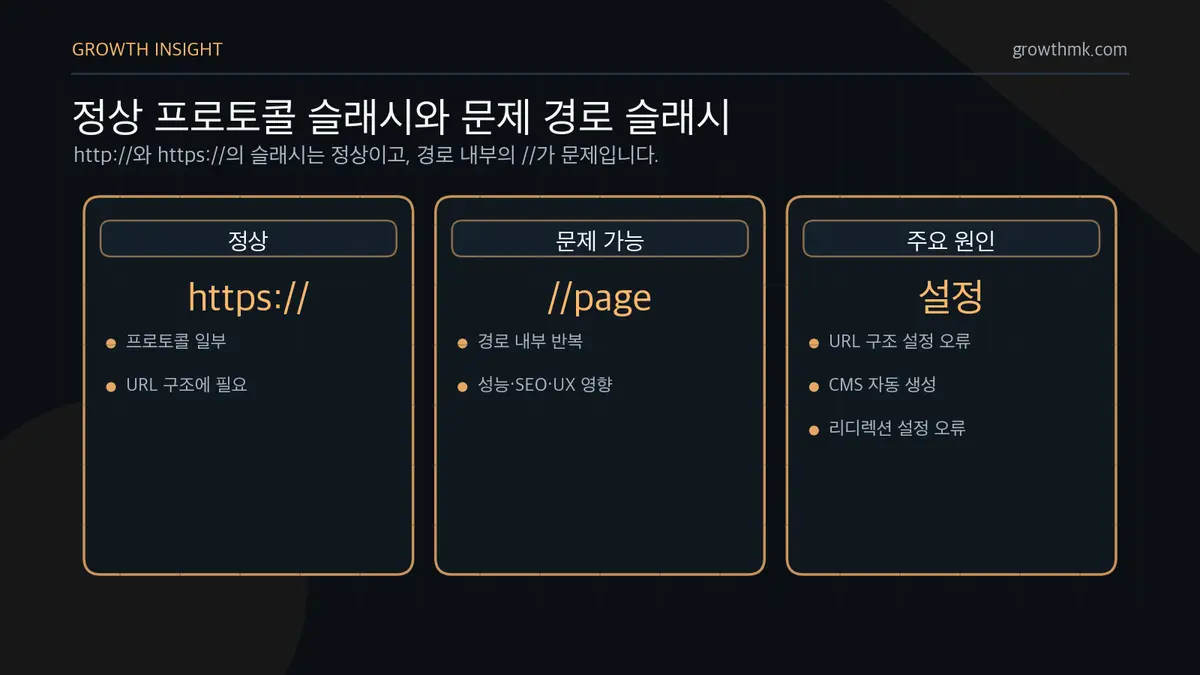
In a typical URL, the first double slash is simply part of “http://” or “https://”.
But when an unnecessary double slash shows up inside the URL path itself (e.g., `https://example.com//page`), it can create problems that affect your site’s performance, SEO, and user experience (UX).
This usually stems from incorrect URL structure during development, an auto-generation bug in your CMS (content management system), or a mistake in your redirect configuration.
How Double Slashes Hurt SEO
When it comes to search engine optimization (SEO), double slashes can create duplicate content issues.
When the same content is accessible from different URLs, search engines may treat them as duplicate pages. Google’s official documentation explains that when the same content is served from multiple URLs, Google picks one of them as the canonical URL.
For example, imagine these two URLs exist:
https://example.com/blog/articlehttps://example.com//blog/articleIf both URLs serve identical content, the search engine can get confused about which one it should prioritize for indexing.
That’s because when the same content is reachable from multiple URLs, it’s genuinely hard for a search engine to determine which one is the “original.”
And if the search engine ends up treating the wrong URL as the canonical page, there’s a real chance your intended page gets excluded from search results or ranks lower than it should.
The more internal links containing double slashes accumulate, the more likely a search engine is to misread your site’s structure.
That leads search crawlers to crawl your site inefficiently, increasing the risk that genuinely important pages never get indexed.
The more duplicate URLs pile up, the more your overall site credibility drops — and it can hurt both your Domain Authority (DA) and Page Authority (PA).
If a URL containing a double slash gets shared on an external website or social media, the search engine may treat it as an entirely separate URL.
In that case, multiple URLs pointing to the same content splinter your content, scattering the SEO value that should have been concentrated on a single page — and your rankings suffer as a result.
That’s because while search engines typically resolve duplicate content by setting a canonical URL, if the double slash isn’t automatically cleaned up, an unintended page can end up chosen as the search engine’s canonical URL.
So this isn’t just a simple structural error — it directly affects how search engines interpret and index your site.
Left unaddressed, it leads to falling search rankings, lost traffic, and indexing errors. So what kind of problems does it cause for user experience (UX)?
How Double Slashes Affect Website Performance and User Experience
URLs containing double slashes degrade your website’s performance and directly hurt user experience (UX).
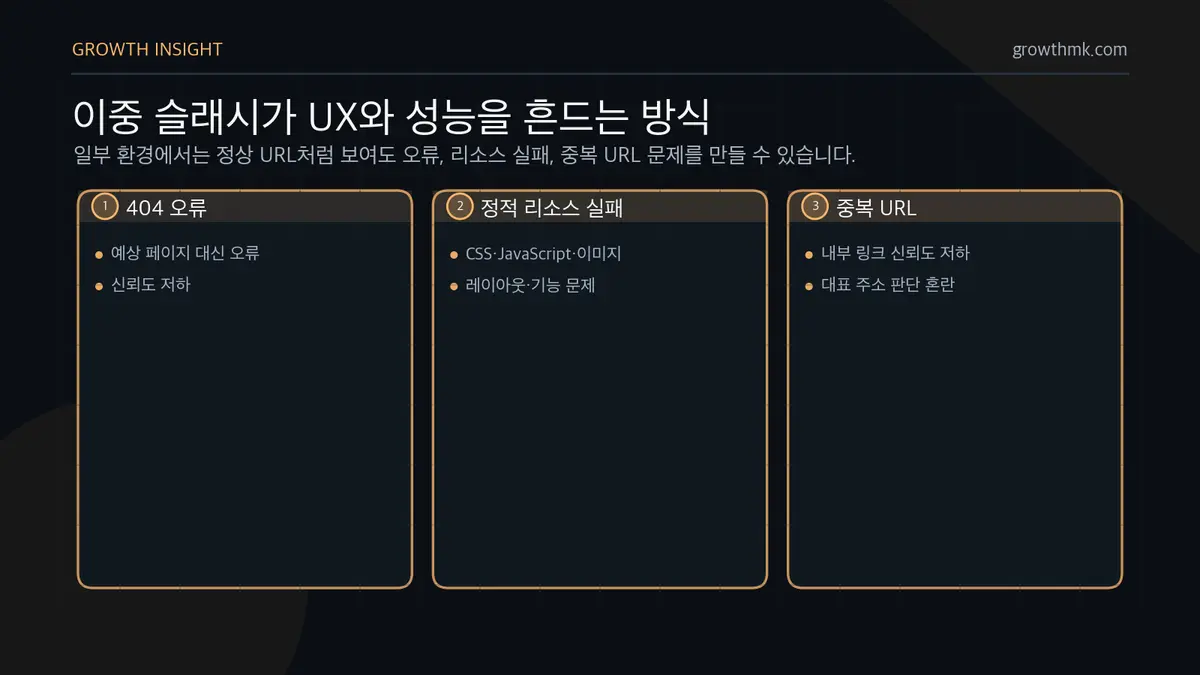
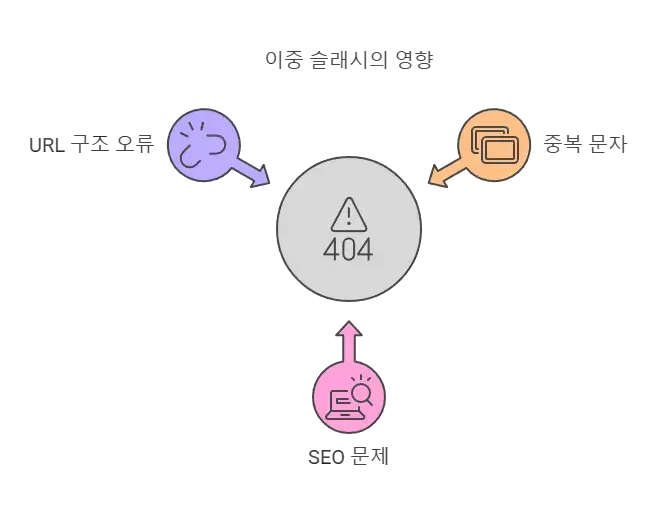
First, some browsers or servers simply can’t interpret a double slash correctly and throw a 404 error.
This is especially common on older websites or certain CMS platforms, which may interpret a URL containing a double slash as pointing to an entirely different page. When a visitor lands on an error page instead of the one they expected, your site credibility takes a hit — and your bounce rate climbs.
Second, it slows down your website.
If a double slash sneaks into the URL of a static resource — CSS, JavaScript, or image files — the browser may fail to load that file correctly. That can break your layout or cause certain features to stop working entirely.
Third, the duplicate URLs that result also undermine the reliability of your internal links, which further degrades the user experience.
When multiple different URLs point to the same content, it confuses users, and it becomes harder for search engines to decide which URL should be treated as the canonical address.
Ultimately, that becomes an SEO problem too — if the wrong URL gets indexed, the page a user actually wants may not show up in search results at all.
Since this ties directly into user experience, it drags down the overall quality and credibility of your website. That’s why it’s important to diagnose this issue proactively and fix it. So how do you actually diagnose it?
How to Diagnose Double-Slash Issues
The most basic way to check whether your website has a double-slash problem is to type a test URL directly and see what happens.
Try entering a URL like https://yourwebsite.com//test in your browser’s address bar and check whether it redirects properly or gets automatically cleaned up to a single slash. If it stays as-is, that’s a sign you need to investigate your website’s structure itself.
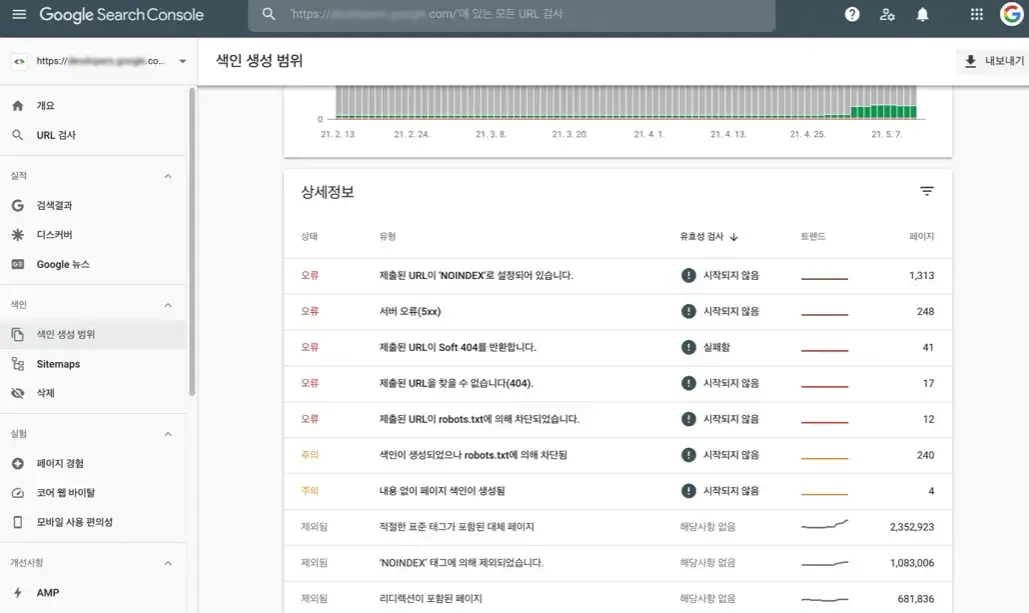
Google Search Console lets you review the list of URLs the search engine has indexed.
Check whether any URLs with double slashes appear in that indexed list, and see whether each one has been indexed or flagged as an error.
If a double-slash URL shows up in the indexed results or triggers a 404 error, fix it right away.
Reviewing your website’s internal link structure is another critical step in diagnosis.
Crawling tools like Screaming Frog SEO Spider, Ahrefs, and Semrush make this easy to spot.
Run a crawling tool to analyze your site’s full link structure, then look for specific patterns to identify exactly which pages are causing issues.
If you’re using a CMS in particular, check the link structure it auto-generates, and verify that your plugins or theme settings haven’t introduced any incorrect paths.
Once you’ve found double slashes using these methods, how do you actually fix them?
How to Fix Double Slashes
Set Up a Redirect
The most reliable fix is to set up a 301 redirect that resolves the URL to a single slash. That way, search engines won’t treat it as a duplicate page.
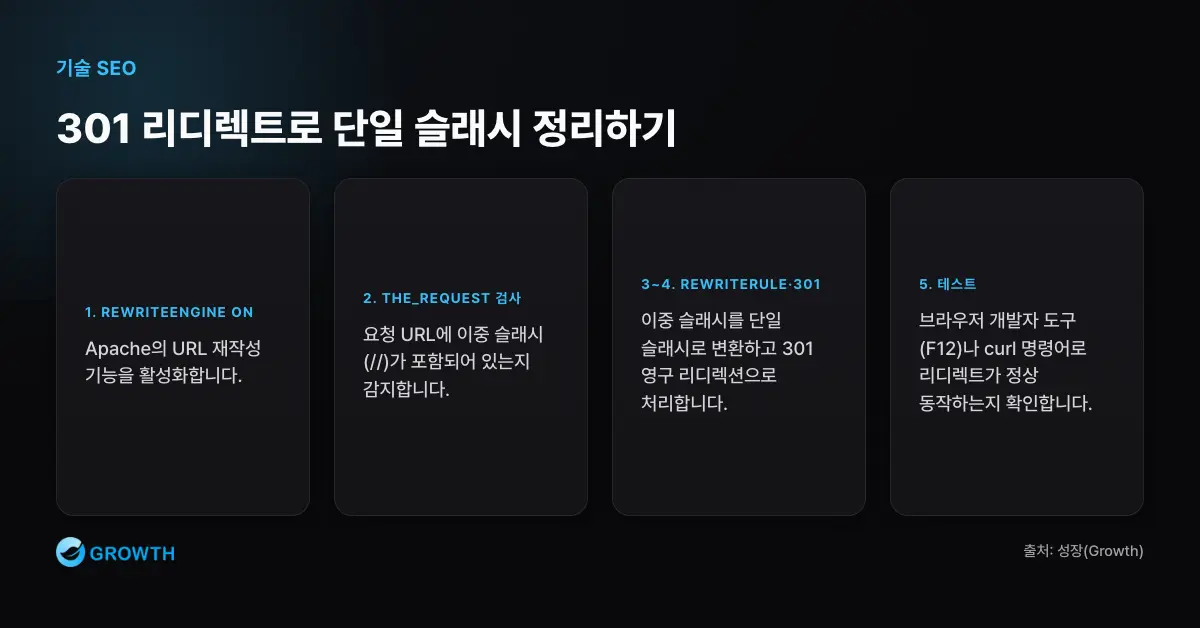
If you’re running an Apache server, you can fix this automatically by editing your .htaccess file.
Apache manages URL redirection through its .htaccess file, so adding a rule there automatically cleans up unnecessary double slashes.
Add the following code to your .htaccess file to automatically convert double slashes on your site to a single slash:
RewriteEngine On
RewriteCond %{THE_REQUEST} //+ [NC]
RewriteRule ^(.*)//+(.*)$ /$1/$2 [R=301,L]
Here’s what this code does:
- RewriteEngine On: Activates Apache’s rewrite module so URL rewriting is available.
- RewriteCond %{THE_REQUEST} //+ [NC]: Checks whether the requested URL contains a double slash. [NC] makes the check case-insensitive.
- RewriteRule ^(.*)//+(.*)$ /$1/$2 [R=301,L]: Finds the double slash in the URL, replaces it with a single slash, and issues a 301 redirect (permanent redirect). The [L] flag stops any further rewrite rules from applying once this one matches.
After applying this, save your .htaccess file and test whether double slashes on your site are correctly converted to single slashes.
You can check your browser’s developer tools (F12) to inspect network requests, or use the curl command in a terminal to verify that the URL redirects properly.
Fixing Double Slashes by CMS
In WordPress, you can automatically eliminate double slashes by editing your functions.php file. Adding the code below removes unnecessary double slashes from both your home URL and site URL:
function fix_double_slashes($url) {
    return preg_replace('/([^:])(/)+/', '$1/', $url);
}
add_filter('home_url', 'fix_double_slashes');
add_filter('site_url', 'fix_double_slashes');
    return preg_replace('/([^:])(/)+/', '$1/', $url);
Here’s what this code does:
- preg_replace(‘/([^:])(/)+/’, ‘$1/’, $url); → Converts any repeated slashes appearing after “http://” or “https://” in the URL string into a single slash.
- add_filter(‘home_url’, ‘fix_double_slashes’); → Removes double slashes from WordPress’s home URL.
- add_filter(‘site_url’, ‘fix_double_slashes’); → Removes double slashes from WordPress’s site URL.
With this in place, every URL generated internally by WordPress gets cleaned up correctly.
If you’re running Nginx, you can add a rewrite rule inside your server block to convert double slashes to single slashes.
Add a configuration like this:
location ~ (//+) {
    rewrite ^/(.*)//+(.*)$ /$1/$2 permanent;
}
Here’s what this configuration does:
- location ~ (//+) → Detects any request that contains a double slash.
- rewrite ^/(.*)//+(.*)$ /$1/$2 permanent; → Converts the double slash into a single slash and handles it as a 301 redirect (permanent redirect).
After applying this configuration, restart Nginx (systemctl restart nginx) to apply the changes, then verify it’s working correctly in your browser or terminal.
As you can see, adjusting just your server or CMS settings can resolve double-slash issues with relatively little effort — and it improves both SEO and site performance at the same time.
Want to apply this to your own business? — See how Growth approaches it on our SEO services page, or if you need a diagnosis of your specific situation, reach out through Contact us. We’ll answer with an eye on the one customer who becomes revenue — not just traffic volume.
Frequently Asked Questions
What’s the difference between a double slash and a single slash?
A double slash is an unnecessary, duplicated character compared to a normal single slash, and it can hurt both SEO and website performance.
A single slash separates path segments in a URL, but a double slash is an unintended structural error that can trigger duplicate content issues.
Why does the website still work even with double slashes?
Most browsers and web servers tolerate double slashes and automatically clean them up into a proper single slash.
But search engines may treat them as a separate URL entirely, which ultimately creates SEO problems.
In certain server environments, double slashes can also cause resource loading errors.
How does Google handle double slashes?
Google normalizes double slashes in some cases, but there’s no guarantee it’s handled with a consistent, clear-cut standard.
When the same content is reachable through multiple URLs, Google treats it as duplicate content, and incorrect URL structure can also lead to indexing errors.
That’s why it’s important to eliminate double slashes and set up redirects so search engines recognize the correct URL.
Worth Reading Next