Infographic and Visual Content SEO Strategy
 임재복
임재복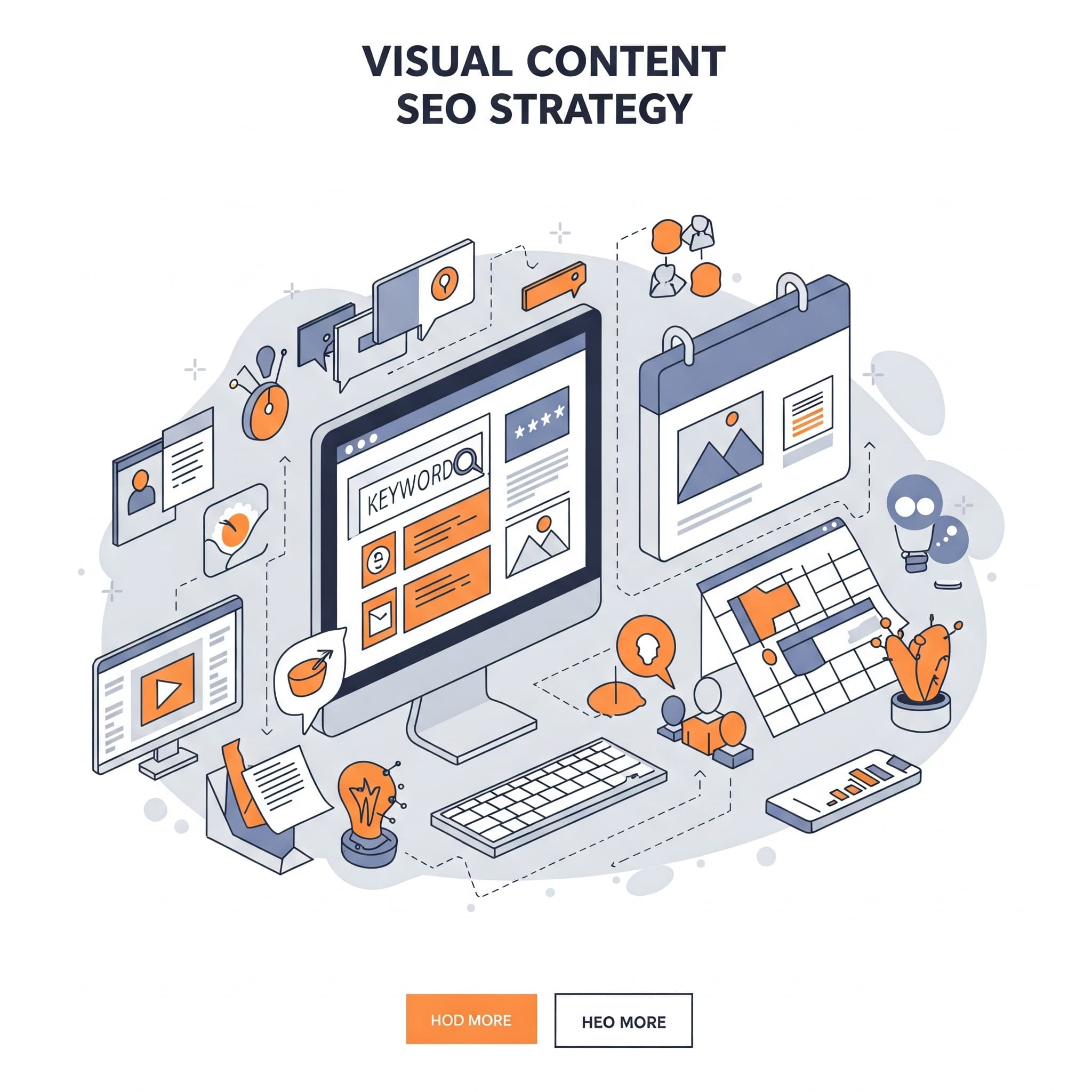
In today’s digital marketing landscape, visual content — images, video, infographics — is a powerful SEO tool. Visual elements enrich the user experience, summarize information efficiently, and capture the attention of readers and prospects. That said, if visual content isn’t implemented carefully, it can slow down page load times or get in the way of a search engine‘s ability to index your page.
Backlinks, for instance, are central to SEO, but building natural, legitimate backlink traffic isn’t easy. This is where visual content can become a genuine asset. Readers are far more likely to share an interesting video or embed a useful infographic in their own content than to link to a plain block of text. Visually highlighting the most important content on a page is an effective way to attract backlink traffic that matches your content’s actual intent.
Why Visual Content SEO Matters
Visual content is a term covering any content that conveys information or a message through visual elements. It’s not limited to supplementing text or adding aesthetic value — it can carry the core role of the content itself. Compared to text content, visual content has the advantage of quickly capturing user attention through visual appeal, and of communicating complex information simply and clearly.
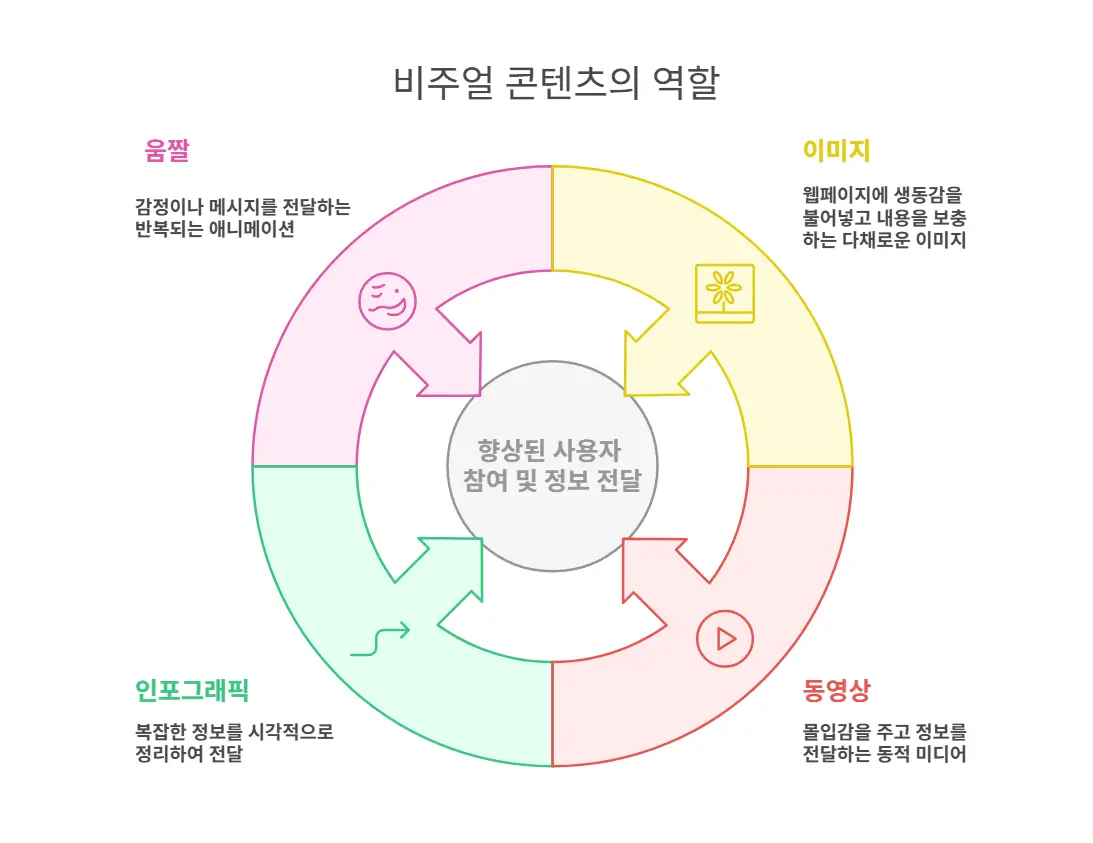
- Images: product photos, illustrations, landscape shots, and other varied imagery bring a webpage to life and reinforce what the text is saying.
- Video: product demos, interviews, animations, and other video formats are effective at delivering information vividly and drawing users in.
- Infographics: infographics that visually organize complex data, statistics, and processes are excellent at boosting comprehension and driving shares.
- GIFs: short, looping visuals that convey a specific emotion or message are especially well-loved content on social media.
In an age of information overload, people rely more on visual cues to find what they need quickly amid a sea of text. Search engines analyze visual content like images and video, not just text, to judge a page’s relevance. Well-optimized visual content stands out visually in search results, raising click-through rate, and that click translates into more website traffic. The positive experience users get from visual content also increases time on site and lowers bounce rate, which has a positive effect on SEO.
Why Are Infographics Special Among Visual Content?
There are many kinds of visual content, but infographics carry a special strength that comes from combining information and graphics.
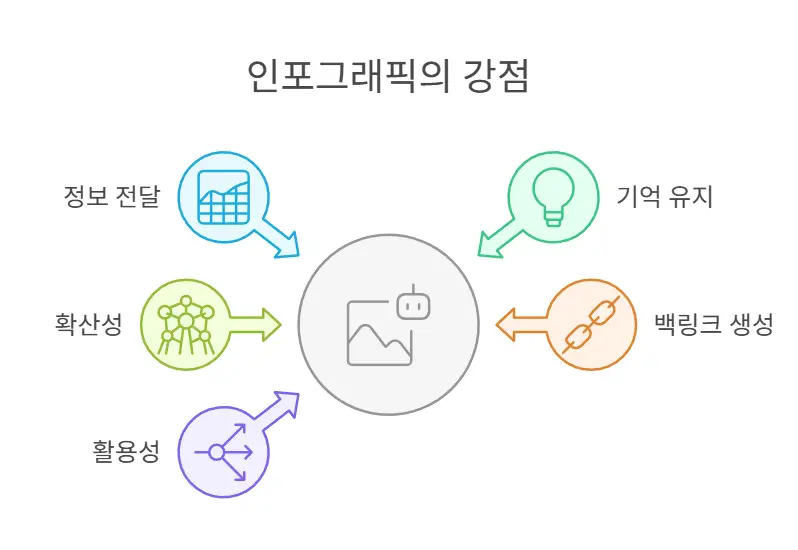
- Powerful communication: complex data, statistics, processes, and concepts that would take paragraphs of text to explain become easy to grasp at a glance in an infographic, using visual elements like charts, graphs, diagrams, and icons. The brain processes images far faster than text, which is why infographics dramatically improve how efficiently information gets across.
- High retention: people remember information paired with visual elements far longer than text-only information. Infographics combine visual appeal with effective structuring of information, which is exactly why they stick in a user’s memory. That makes them important for building brand awareness and capturing prospects.
- Strong shareability: infographics packed with useful, interesting information get shared organically on social media, driving brand awareness and website traffic.
- Easy to earn backlinks: other websites and bloggers often cite an infographic to supplement their own content and give their readers something useful. To credit the source, they typically attach a link back to the original site — and that link becomes an important SEO backlink. Infographics are an excellent tool for naturally earning high-quality backlinks.
- High versatility: infographics can be repurposed beyond websites, into presentations, reports, social media posts, email newsletters, and print materials. Reusing a single infographic across multiple formats lowers content production costs and raises efficiency.
Infographics are a powerful marketing tool: they communicate information effectively, drive user engagement, and lift SEO performance.
An Optimization Strategy for Infographics and Visual Content
Every type of visual content, infographics included, can have its impact maximized through search engine optimization (SEO).
Image SEO
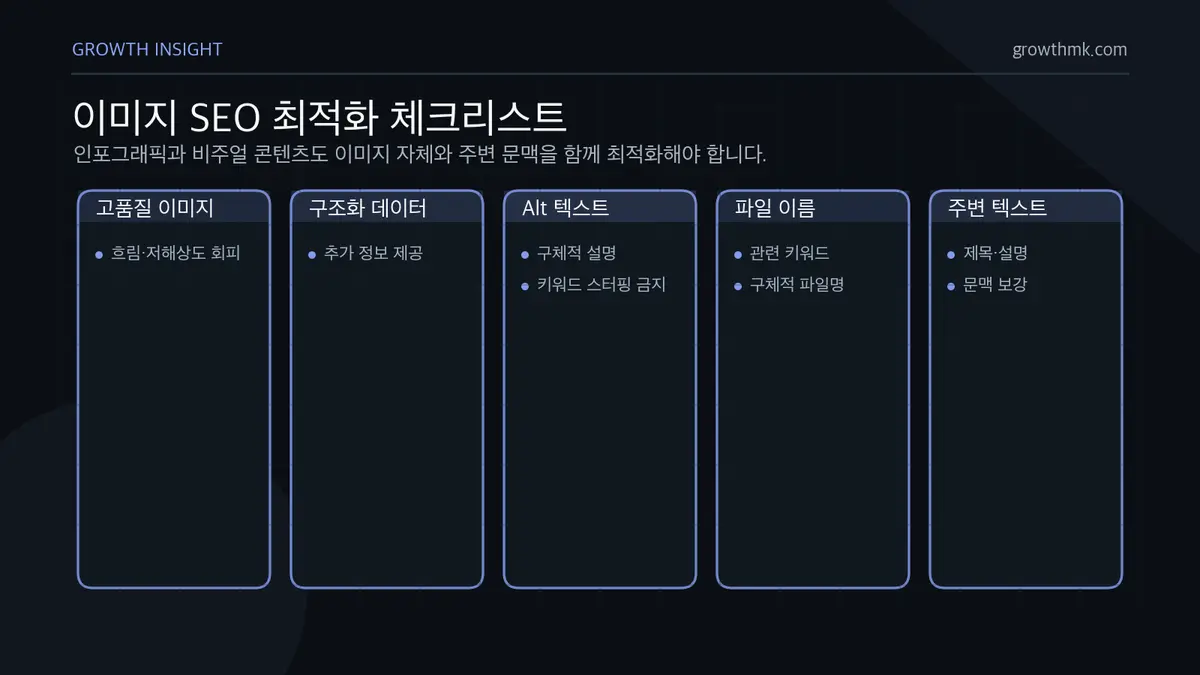
- Use high-quality images: blurry or low-resolution images hurt the user experience and undermine a website’s credibility. Use sharp, high-quality images to maximize visual appeal.
- Use structured data markup: structured data markup lets you communicate additional information about an image to search engines. It also helps display richer information in image search results.
- Alt text: alt text is the text that appears in place of an image when the image can’t display, or when a visually impaired user is using a screen reader. Search engines use alt text to understand what’s in an image, so write it specifically, including the core keywords relevant to the image. Google’s image search guide describes alt text as “the most important attribute for providing metadata about an image” and recommends writing it as informative content without keyword stuffing.
- Optimize file names: it’s worth including relevant keywords in your image file names too. For example, “strawberry-tart-recipe.jpg” is far better than “IMG_1234.jpg” — use a file name that actually describes the content.
- Use text around the image: placing text related to the image around it helps search engines understand the image’s meaning better. This could mean a heading above the image or a caption below it.
Video SEO
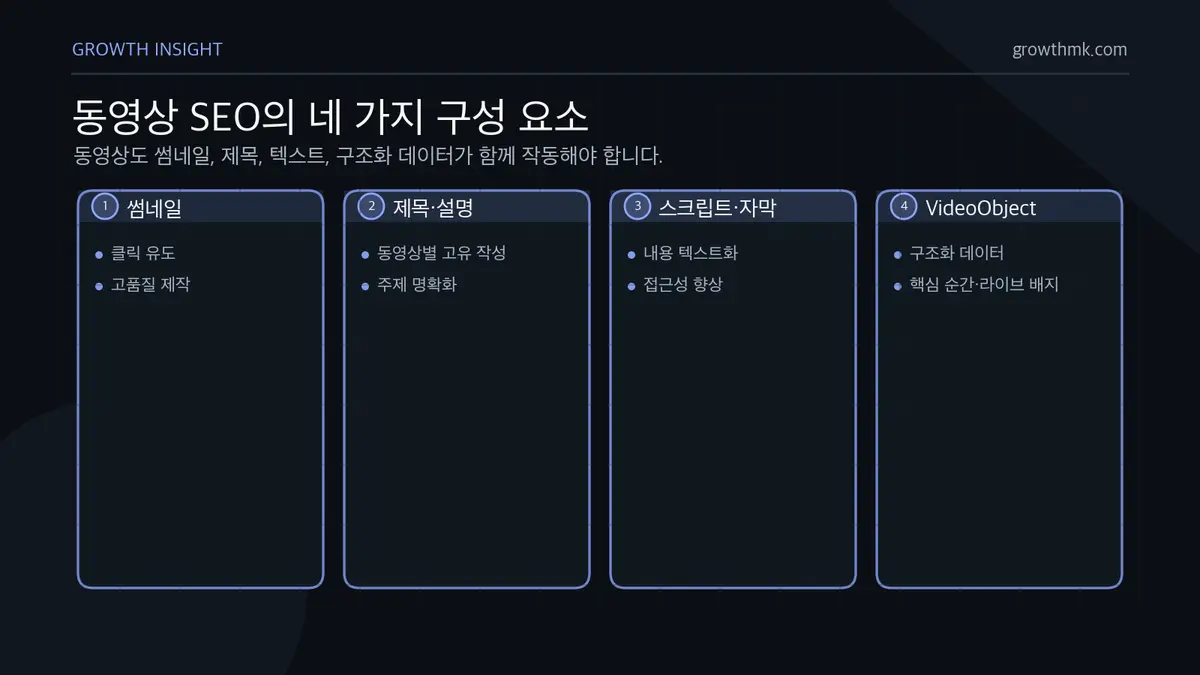
- Create compelling thumbnails: make an eye-catching, high-quality thumbnail that draws in clicks.
- Write accurate, detailed titles and descriptions: write titles and descriptions that clearly explain the video’s content so search engines can understand its subject. Google’s video SEO guide recommends writing a unique title and description for the video on each viewing page.
- Provide a video script and captions: providing the video’s content as text helps search engines understand it and improves accessibility for users.
- Use structured data markup: providing the video title, description, upload date, thumbnail URL, and more as structured data helps search engines understand the video better and display it more richly in search results. Google notes that adding VideoObject structured data can enable features like key moments and live badges.
Mobile Optimization
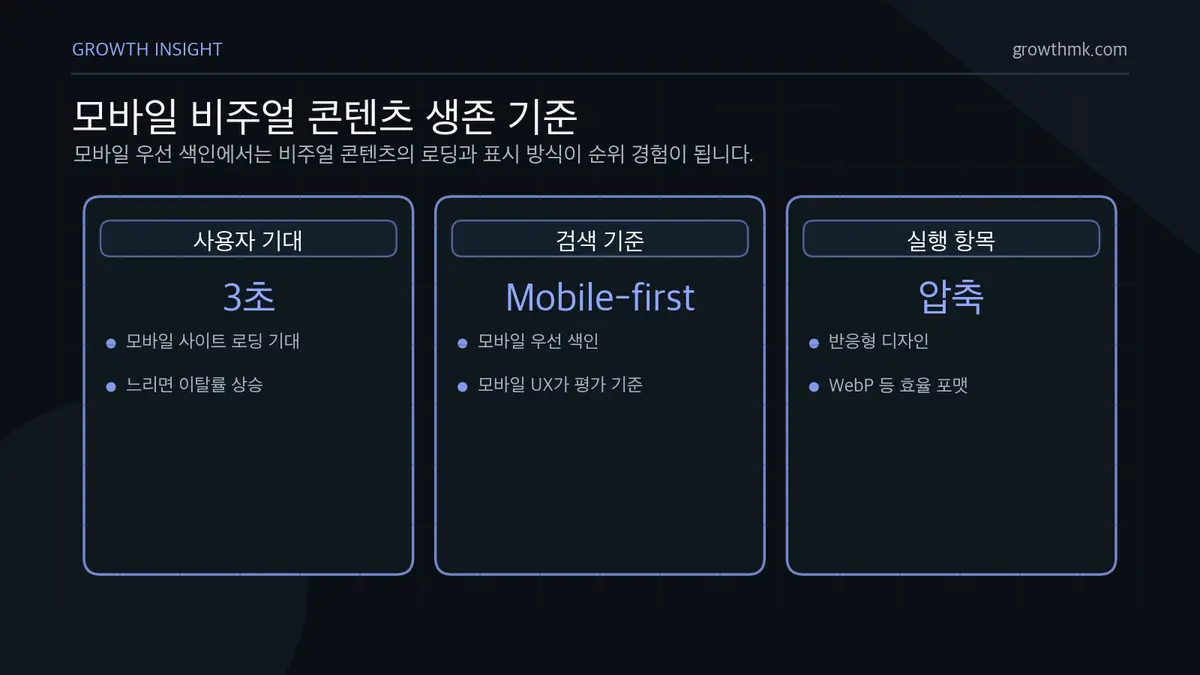
Since the majority of internet traffic today happens on mobile devices, mobile-optimizing your visual content is a survival strategy for SEO success. Mobile users expect a website to load within 3 seconds, and slow-loading websites see higher bounce rates, which hurts SEO rankings. Because Google applies mobile-first indexing, the mobile user experience is a major factor in determining search rank.
Here are some concrete ways to make your visual content mobile-friendly.
- Use responsive design: build your website responsively so content displays naturally, without breaking, across the wide range of mobile screen sizes.
- Compress images and video: optimize the file size of images and video to improve load times. Switching image formats to something more efficient, like WebP, is also a good move.
- Use mobile-friendly content formats: a long infographic can be reformatted as a tall vertical layout for mobile screens, or reimplemented as an HTML5-based interactive infographic to improve the user experience.
- Implement AMP (Accelerated Mobile Pages): applying AMP lets content load extremely fast on mobile devices, improving user experience and lifting SEO performance.
Related Reading
- The SEO Guide: A Complete Map of Search Engine Optimization
- How to Write Title Links That Boost Search Rankings (+ Prompts)
- SEO Marketing Case Studies — Content Strategy Built on Keyword Analysis
- Video Search Optimization: How to Use YouTube Titles, Descriptions, and Tags
- Why Image Search Optimization Matters, and How to Do It
Want to apply this to your own business? See Growth Inc.’s approach in our SEO service, and if you need a diagnosis specific to your situation, reach out for a consultation. We’ll answer based on the one person who becomes revenue, not the volume of traffic.
Frequently Asked Questions
Can search engines read the text inside an infographic?
Text embedded inside an image is hard for a search engine to read and index directly. That’s why an infographic’s core message needs to also live in the alt text, the surrounding body copy, and the caption. As covered above, Google uses the content and metadata of the page an image sits on to understand that image, so providing visual material alongside real text raises your odds of search visibility.
How much does an image’s file name actually affect SEO?
The file name is a lightweight signal that tells search engines what an image is about. A short but descriptive name like “strawberry-tart-recipe.jpg” is better than a meaningless one like “IMG_1234.jpg.” That said, a file name alone won’t decide your ranking — it’s best optimized together with alt text, surrounding copy, and image quality.
How do I keep visual content from slowing down my page?
The key is optimizing the file size of images and video and using an efficient format like WebP. As covered above, mobile users expect fast loading, and a slow-loading page sees a higher bounce rate that can hurt SEO. Using responsive image techniques to deliver the right file size for each screen is also effective.
Is it better for SEO to host video on our own site or on YouTube?
It depends on your goal. Embedding video on your own page and applying VideoObject structured data strengthens your own domain’s search assets. YouTube, on the other hand, has the advantage of its own large pool of search and recommendation traffic. Use both channels, but the same principle applies either way: give every video a unique title, description, and an eye-catching thumbnail.