What Is a Meta Description? A Practical Guide to Writing One
 임재복
임재복
A meta description is a short block of text, up to about 160 characters, that explains why someone should click your website in the search results.
Did you know this small HTML element can have an outsized effect on your B2B marketing performance?
If your content is genuinely strong but traffic still falls short of expectations, the culprit might be this easy-to-overlook element.
Think of it as a mini ad representing your site on the results page. It plays a decisive role in the moment a prospect decides whether to click your link out of dozens of results.
It can look intimidating the first time you encounter it as a B2B marketer, but once you understand a few core principles, it can meaningfully lift your marketing performance.
What Is a Meta Description?
A meta description is an HTML tag that summarizes a webpage’s content and appears below the title in search engine results.
It helps users grasp what a page is about at a glance and works as a key lever for earning the click.
Where It Lives in the HTML
It sits inside the <head> tag, written in a format like this:
<meta name="description" content="This page explains how to optimize your meta description.">Search engines don’t use it as a direct ranking factor, but because it influences click-through rate (CTR) in the results, it deserves careful attention. Google’s own documentation notes that it uses the meta description as the snippet whenever it offers a more accurate summary than the page content itself.
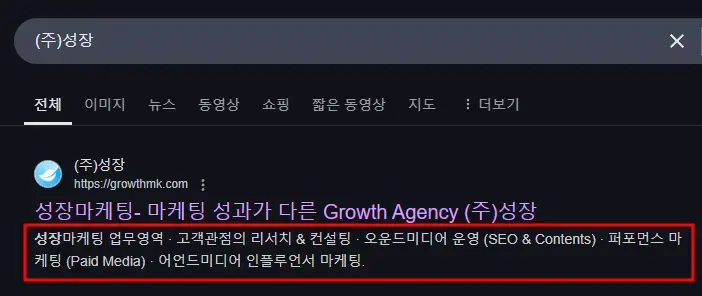
How Does It Show Up in Search Results?
Google usually displays it as written, but in some cases it pulls other content from the page and generates a new description automatically.
When the searcher’s intent matches your page content closely, there’s a higher chance the search engine will display exactly what you specified. That’s why writing a description that reflects search intent matters.
How to Write Meta Descriptions for B2B Buyers
B2B buyers search with a clear objective, unlike typical consumers.
They’re often looking for a specific solution, comparing products, or gathering data to support a business decision. Your description needs to reflect how B2B buyers search and what they’re trying to find.
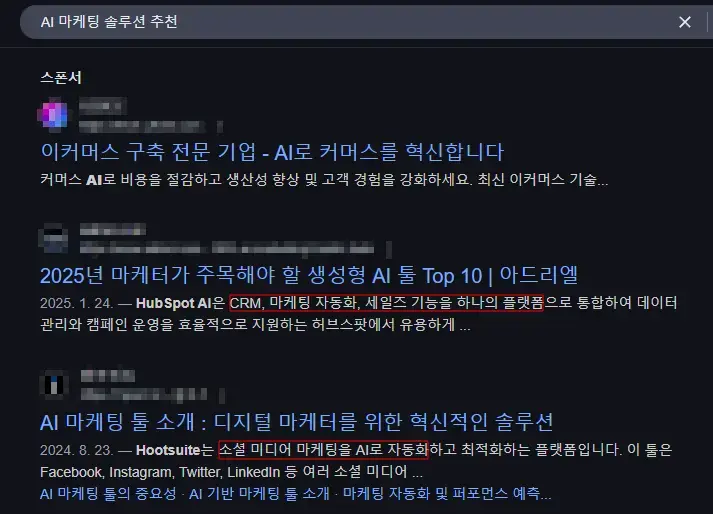
Someone interested in AI-powered marketing, for instance, might simply search “AI marketing solution recommendations.”
A B2B buyer, though, is more likely to search with specific terms like “B2B marketing automation software” or “data-driven ad optimization tool.”
That’s why it’s essential to clearly state your product or service’s core features and what sets it apart.
How to Communicate Business Value Effectively
B2B buyers want to know what value a product delivers to their business, not just what the product does.
So instead of listing features and functions, it’s more effective to highlight the benefit the customer will actually get.
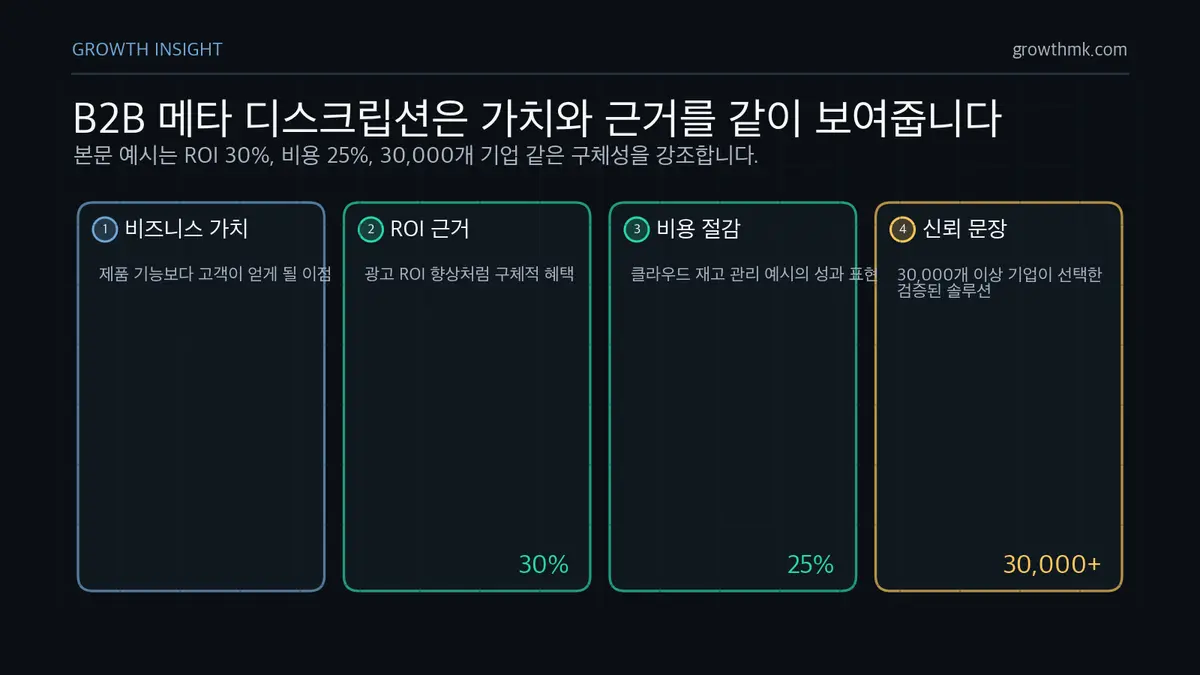
For example, “Maximize marketing performance with AI-powered data analysis” is weaker than something specific like “Boost ad ROI by 30% and cut marketing costs with AI-powered data analysis.”
Using numbers and data to spotlight concrete results also builds credibility.
A phrase like “Cloud-based inventory management — cuts costs by an average of 25%” helps B2B buyers immediately register the value.
Wording and Language Choices That Build Trust
B2B buyers go through a longer, more deliberate decision process than typical consumers. Using language that builds trust is worth the extra effort.
First, use technical terms where appropriate, but avoid over-engineering the language. “AI-driven automated optimization algorithm” is less effective than a plain, intuitive sentence like “AI analyzes and optimizes your ad performance in real time.”
Second, you can lean on certifications, awards, or client results to build credibility. A line like “The cloud security solution trusted by Fortune 500 companies” strengthens brand trust.
Third, a sentence that delivers clear value beats generic promotional language. “The proven solution chosen by 30,000+ companies” builds more trust than a vague claim like “the industry’s leading solution.”
Mistakes to Avoid When Writing Meta Descriptions
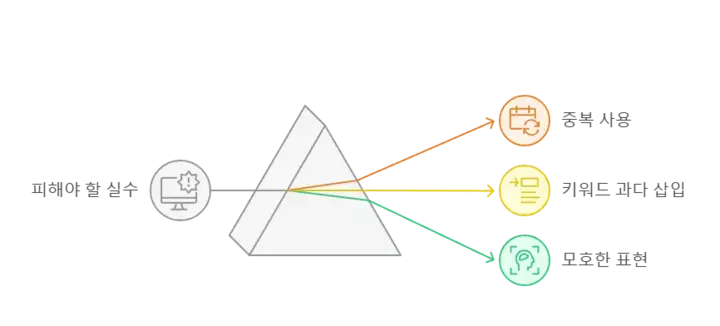
Avoid Duplicate Descriptions
Using the same meta description across every page can confuse search engines about which page to prioritize showing.
B2B websites in particular tend to run many service or product pages, so writing content tailored to each page delivers a better experience for both search engines and users.
If each page isn’t written with its own unique framing, the same description may end up showing across multiple search results.
That leaves users unsure which page to click, which tends to drag down click-through rate.
So it’s important to provide distinct, tailored details for each page’s content.
The Downside of Keyword Stuffing
Cramming in too many keywords tends to backfire.
Search engines can flag keyword stuffing as spam, and users are likely to skip a description that reads as unnatural and untrustworthy. Google’s spam policies also classify keyword stuffing as a spam tactic aimed at manipulating rankings.
Repeating keywords like “B2B marketing solution, B2B advertising, B2B SEO, B2B optimization, the best B2B service for B2B CRM” hurts readability and can get flagged as spam by search engines.
Keywords should appear naturally within the flow of the sentence, ideally placed just once or twice for the most important terms.
Vague or Exaggerated Language That Misleads
Since this is a key factor in a user’s click decision, vague or exaggerated phrasing can undercut trust.
Instead of a phrase like “the world’s best B2B solution,” something concrete like “the B2B solution used by 5,000 companies worldwide” is far more effective.
Unverified, exaggerated claims like “boost your revenue by 200%” can also erode user trust.
A phrase that communicates real value instead, such as “optimize customer conversion with data-driven marketing analytics,” works better.
Try including real performance data or certifications to make your description more convincing!
Case Studies: What Successful Meta Descriptions Look Like
Writing effective meta descriptions starts with analyzing real examples and identifying the patterns that work. Let’s look at strategies for lifting CTR based on successful B2B examples and A/B test results.
Meta Description Examples From Leading B2B Companies, With CTR Analysis
According to statistics compiled by APPLabx, pages with a meta description get an average of 5.8% more clicks than pages without one.
In particular, descriptions that reflect search intent and include a call to action (CTA) tend to post the highest CTR.
This pattern — CTA-driven copy outperforming plain description — shows up consistently across multiple cases.
Let’s compare two examples.
- Example A (lower CTR meta description): “HubSpot Blog — Latest Marketing Guides and Resources”
- Example B (higher CTR meta description): “The B2B Marketing Field Guide | Includes a Ready-to-Use Checklist | Check It Out Now!”
Example A only serves an informational purpose, while Example B is more effective at driving clicks because it specifies the content clearly, emphasizes practical applicability, and includes an immediate CTA.
Stating concrete benefits, reflecting search intent, and including a CTA are the elements that make a description stand out in the results and drive the click.
If you’d like to apply this to your own business — you can see how Growth approaches it in our SEO service, and if you need a specific diagnosis of your situation, reach out through contact us. We answer based on the one customer who becomes revenue, not the volume of traffic.
Frequently Asked Questions
Does a meta description directly affect search rankings?
A meta description itself isn’t a direct Google ranking factor. But because it drives click-through rate (CTR), it can influence rankings indirectly.
When CTR rises, search engines are more likely to conclude the page is useful to users, which can improve its ranking over time.
Does a meta description display differently on mobile versus desktop?
Yes, display can vary by device.
On desktop, it typically shows around 150–160 characters, while on mobile the smaller screen usually limits it to about 120–130 characters. That’s why it’s important to put your most important information and CTA near the beginning.
Do I need a unique meta description for every single page?
Yes, whenever possible, every page should have its own unique meta description. Duplicate content makes it harder for search engines to differentiate between pages, which can hurt your search visibility.
Writing a tailored description that reflects each page’s content and intent also improves satisfaction for both search engines and users.
Can I stop the search engine from auto-generating a different meta description?
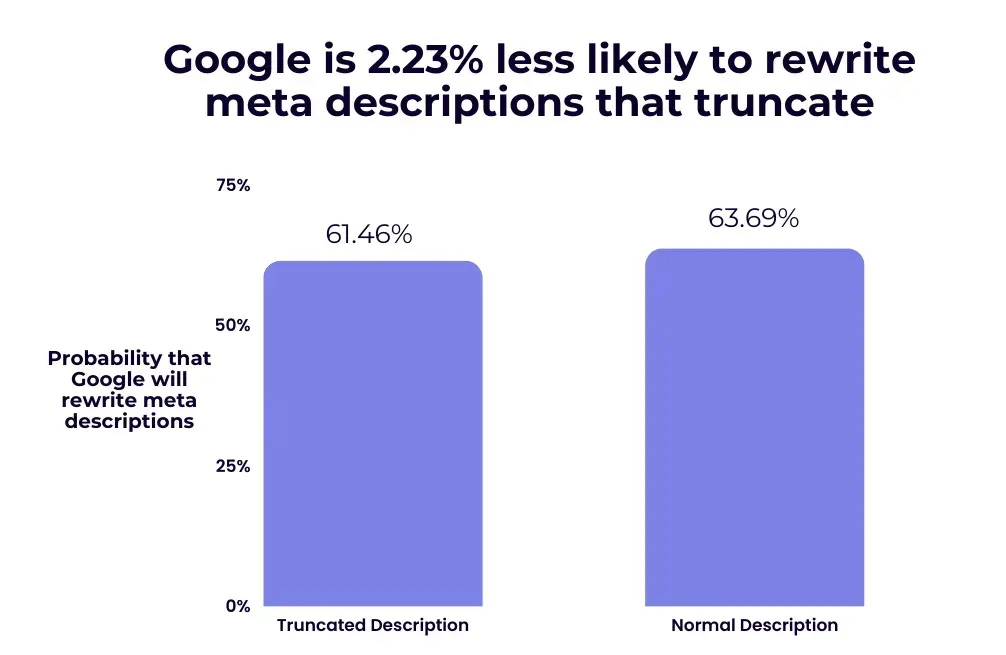
Google can automatically replace your description if it doesn’t match search intent.
That said, there are ways to increase the odds the search engine keeps the one you wrote:
- Make sure the meta description matches the page content
- Clearly reflect search intent and include a CTA
- Naturally include the page’s primary keyword
Doing this raises the odds that search engines keep your handwritten version.
It’s not a 100% guarantee, though — search engines can still choose to replace it automatically.
Related Reading
Marketing Insights
Marketing insights, delivered weekly
Practical growth and GEO/B2B marketing insights, summarized in your inbox every week.
Subscribe for insights